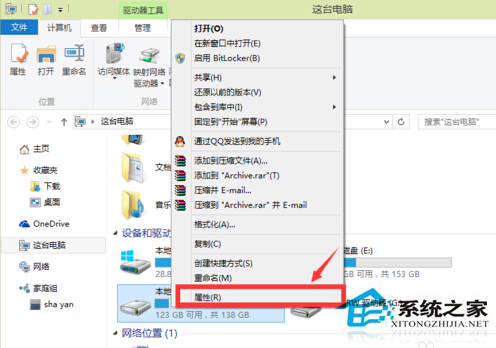
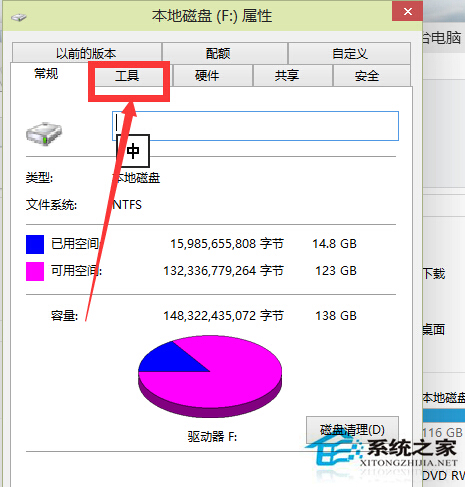
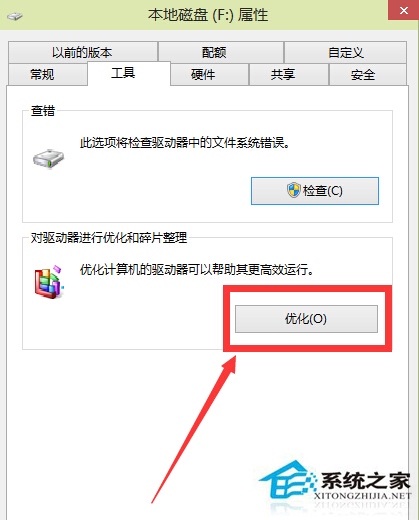
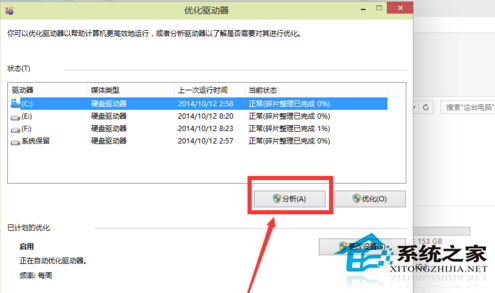
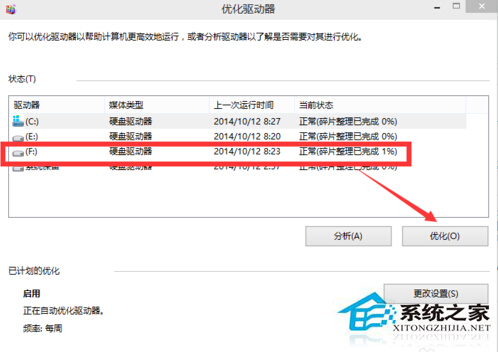
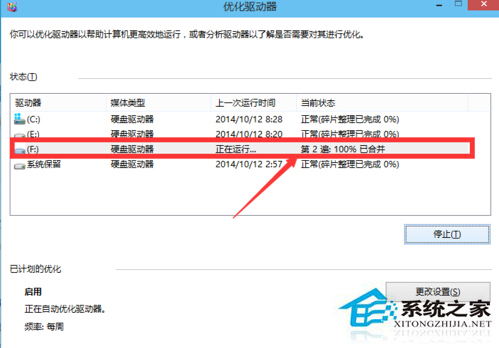
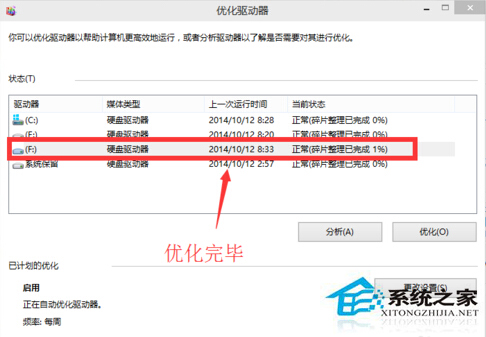
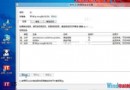
Win10 內建磁碟最佳化工具 (原磁碟重組) 可清理碎片提升速度:
操作方式與 Win7/Win8 相同,建議定期執行保持磁碟效能。
Windows 10 Build 10108 洩露:UI 細節優化、開關跟隨主題色、新版內容選單
Win10 TH2 首個重大更新普遍 Bug:開機進入兩次啟動畫面導致速度變慢
Windows 93 瀏覽器作業系統現身:網頁版懷舊體驗,附線上試玩網址
Win10 控制台在哪裡?兩種最快開啟方法教學 (開始選單/搜尋列)
Win10 Mobile Redstone 預覽版 14295 已知問題:螢幕閃爍、應用自動關閉等
Windows 10 正式版安裝包下載位置與免費升級詳解
Win10 Xbox App 登入錯誤 0x800488AB?切換帳號登入法修復
Windows 7 控制台無法開啟?兩大原因與解決方案