Windows XP Windows 7 Windows 2003 Windows Vista Windows 綜合教學 Linux 系統教學
Windows 10 Windows 8 Windows 2008 Windows NT Windows Server 電腦軟體教學
您现在的位置: Windows教程網 >> Windows教程 >  >> Windows 綜合教學 >> 關於 Windows

Windows 7 顯示副檔名與啟用檔案內容搜尋完整設定教學

編輯:關於 Windows

Windows 7 預設隱藏副檔名且不搜尋檔案內容。本文說明如何透過「資料夾選項」同時啟用這兩項實用功能。

操作步驟

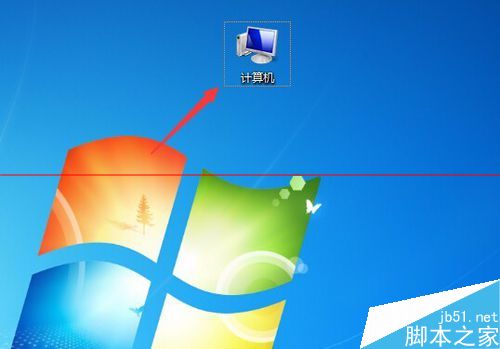
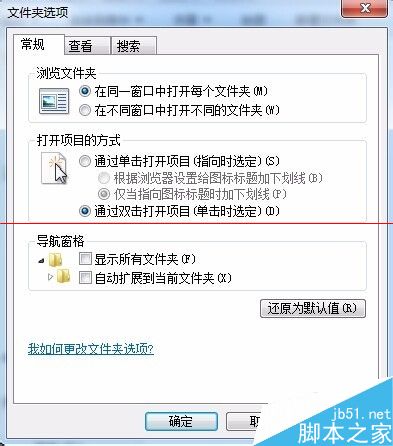
  1. 開啟「電腦」→ 點擊「工具列」→「資料夾選項」。
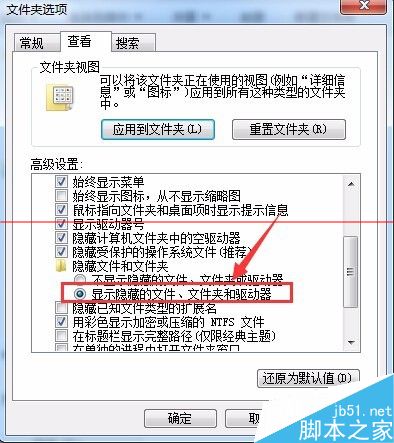
  2. 檢視 索引標籤 → 進階設定取消勾選「隱藏已知檔案類型的副檔名」 → 套用。
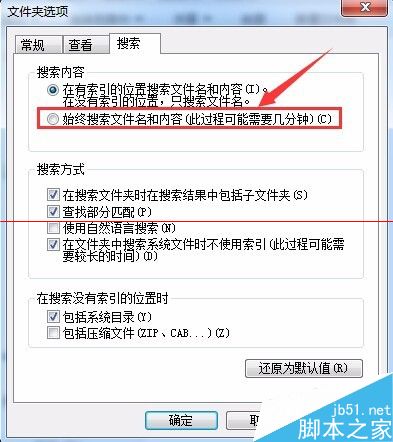
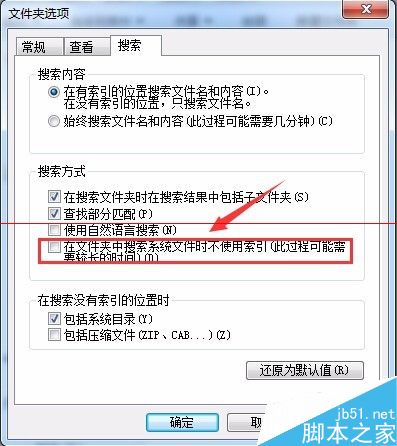
  3. 搜尋 索引標籤 → 「搜尋檔案內容」選擇「一律搜尋檔案名稱和內容」 → 可勾選「搜尋系統檔案」 → 套用。
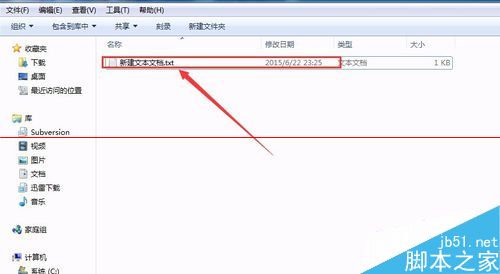
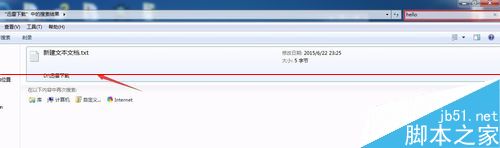
  4. 建立測試文字檔輸入關鍵字,於搜尋框輸入該關鍵字即可找到檔案,驗證內容搜尋生效。

電腦介面

資料夾選項入口

一般/檢視索引標籤

顯示副檔名設定

副檔名顯示效果

搜尋索引標籤-內容搜尋

搜尋系統檔案設定

建立測試檔案

內容搜尋結果

注意事項

  • 上述副檔名設定在 Windows XP 亦適用。
  • 啟用內容搜尋後,搜尋速度會較原本較慢,屬正常現象。
Copyright © Windows教程網 All Rights Reserved