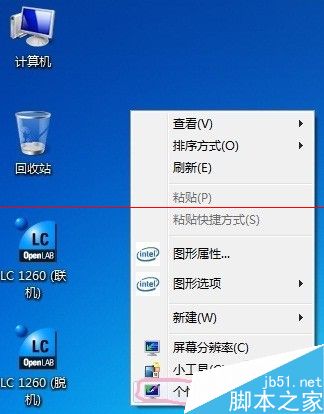
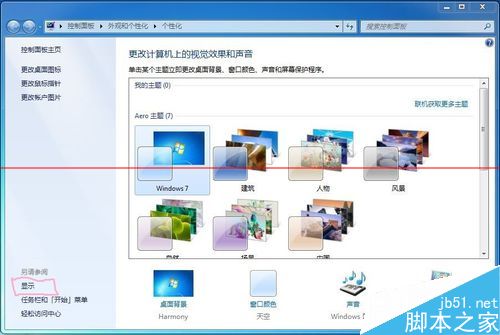
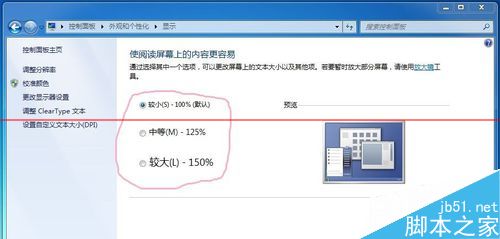
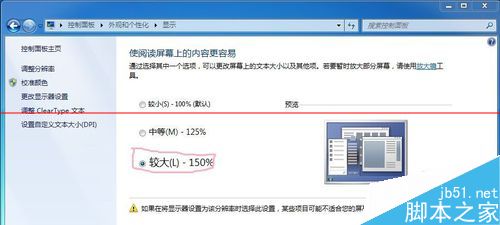
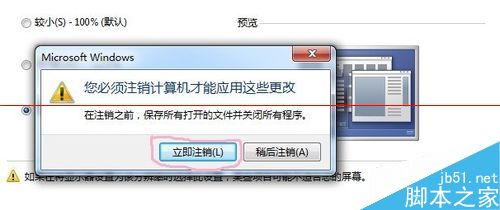
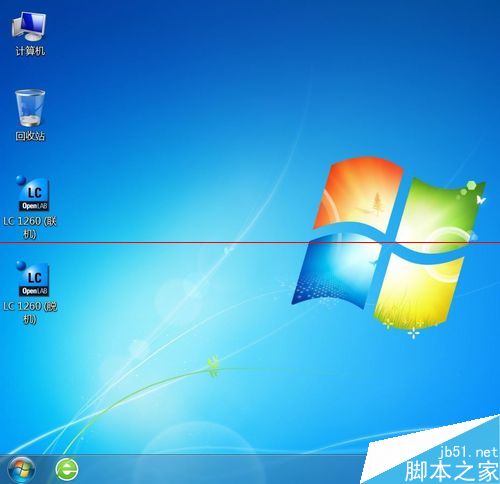
Win7 透過 DPI 縮放放大桌面圖標、文字及檔案視窗內容,不降解析度,保持清晰度。
適合高解析度螢幕用戶提升閱讀舒適度。
Windows 10 正式版發布日期與價格提前亮相:新蛋洩露 8 月 31 日上市、家庭版 680 元、專業版 930 元
Win10 桌面版紅石 14295:修復內容、已知問題與解決方案完整版
Windows 10 升級錯誤 80240020 解決:註冊表啟用 AllowOSUpgrade 與 $Windows.~BT 手動安裝
Win10 刪除「英文 (美國) 美式鍵盤」輸入法,Ctrl+Shift 切換更順暢
Win10自動更換桌面壁紙設置教程:幻燈片模式、自定義間隔、隨機播放全配置
Win7 工作列「釘選」功能完整教學:固定常用程式、檔案與取消釘選