Windows 8.1 預設保留所有透過 Windows Update 安裝的更新備份,即便新版本已取代舊版,舊檔案也不會自動清理,久而久之佔用數 GB 甚至十幾 GB 空間。本文教你透過內建「磁碟清理」工具,安全移除「Windows 更新清理」檔案。
操作步驟(圖文詳解)
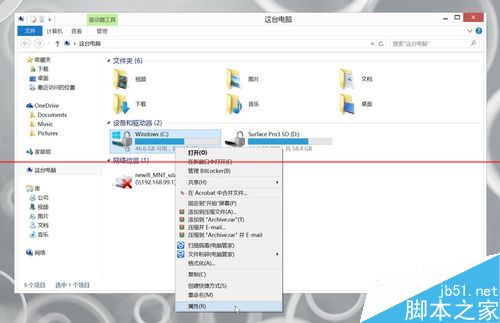
- 開啟「這台電腦」/「我的電腦」,右鍵點擊 C 槽 → 選擇「內容」。
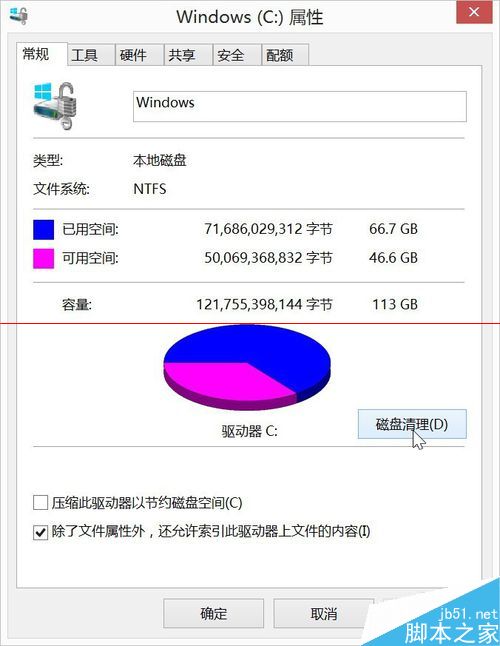
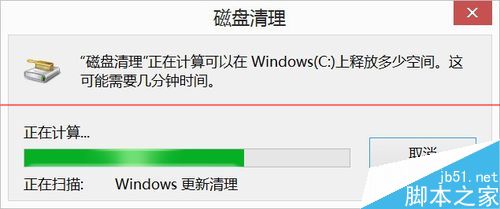
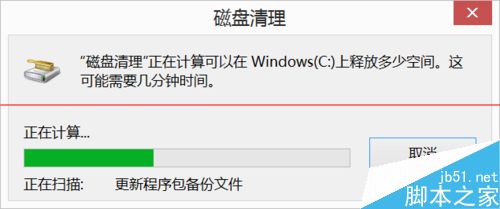
- 在「一般」索引標籤點擊「磁碟清理」按鈕,等待掃描完成。
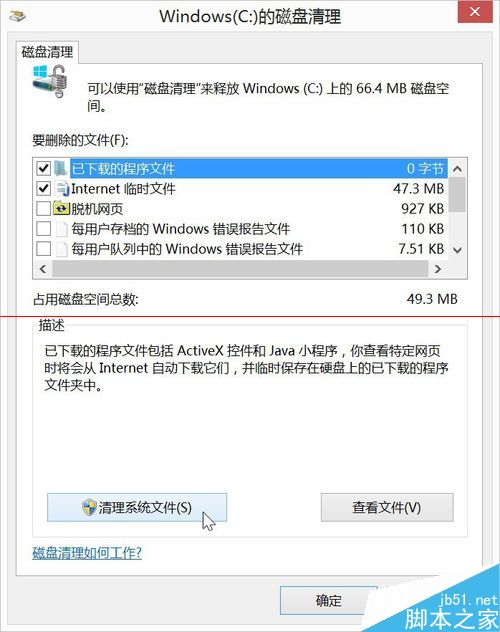
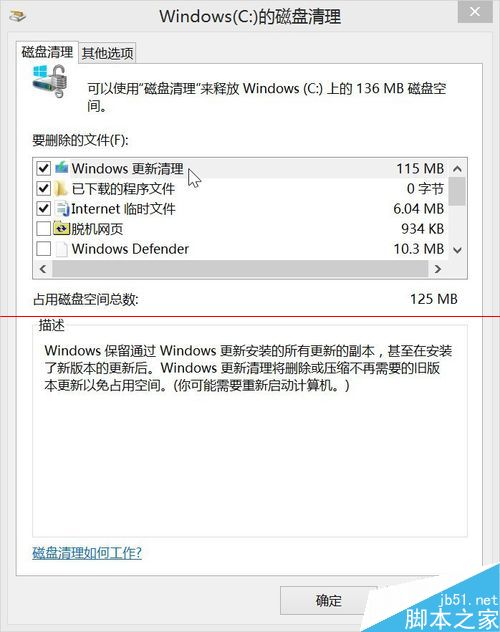
- 點擊視窗下方的 「清理系統檔案」(需管理員權限),再次掃描。
- 在檔案清單中勾選 「Windows 更新清理」,可同時勾選「暫存檔案」、「回收站」等項目。
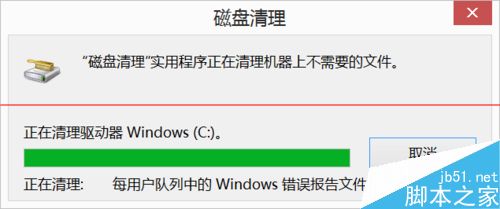
- 點擊「確定」→ 「刪除檔案」,等待清理完成。
補充說明
- 此操作不會影響已安裝的更新功能,僅移除安裝後殘留的備份安裝包(`C:\Windows\SoftwareDistribution\Download` 及 `C:\Windows\WinSxS\Backup` 相關內容)。
- 清理後若需移除特定更新,仍可透過「程式和功能」→「檢視已安裝的更新」進行。
- 建議每季執行一次,保持系統磁碟精簡。
同樣邏輯適用於 Windows 7/10,只需在「磁碟清理」→「清理系統檔案」中尋找對應項目即可。