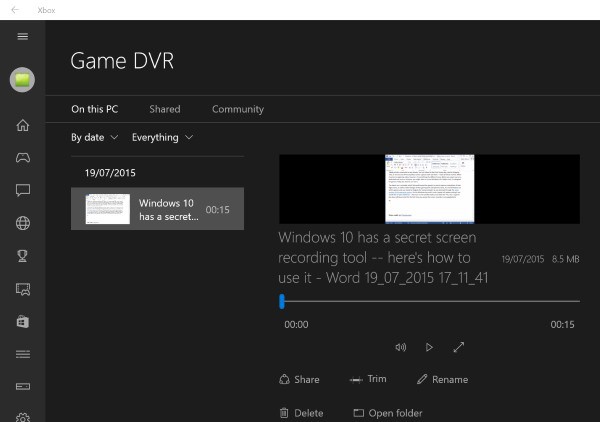
Windows 10 內建 Game Bar 錄影工具(非僅限遊戲):
Win+G 呼叫,勾選「這是遊戲」顯示工具列。Win+Alt+R 開始/停止。Videos\Captures)。

Win10 Mobile 紅石 14295 已知問題與解決方案
Win8 出現 wermgr.exe 應用程式錯誤與擴展屬性不一致的解決方案
Windows 7 啟用 SATA 硬碟寫入快取提升效能:裝置管理員啟用裝置寫入快取原則
如何將 Windows 資料夾掛載到 Linux?CIFS/SMB 掛載完整指令教學
Win10 14342 瀏覽器打不開 hao123「安全憑證錯誤」?關閉憑證檢查即可
製作 USB 開機安裝碟不格式化保留資料:登錄檔 DisableFormat 技巧 (Windows 7 USB/DVD Download Tool)