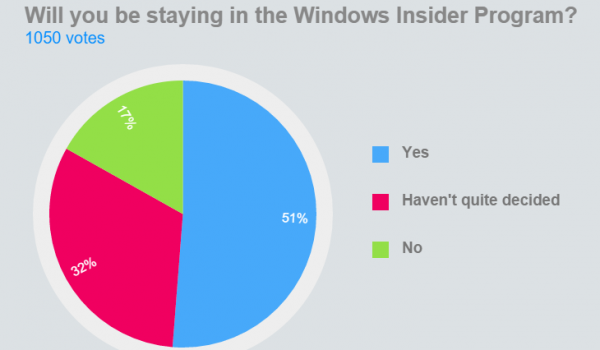
Insider 用户厌倦频繁更新/崩溃,可暂停预览版推送:
无需重装,一键切换,灵活掌控更新节奏。
你準備好免費升級 Windows 10 了嗎?13 問答完整檢視
Win10 Build 10120 即將推送:內測中、可能預設內建 Edge 瀏覽器、開始選單更接近最終形態
XP 系統「網路芳鄰」不見了?兩招找回圖示
Win10 強制安裝 HP 印表機驅動失敗 0x80240017 解決方案
Win7 安裝軟體彈出「無法驗證發行者」怎麼辦?三種方法關閉提示
Win7 部分 USB 隨身碟無法辨識提示驅動錯誤?更新驅動程式解決
【影片上手】Win10 Mobile 中國專供 App:Nearby Numbers 生活黃頁
Win7 使用百度搜尋自動跳轉搜狗?恢復網路預設閘道 + 360 斷網急救箱強力修復