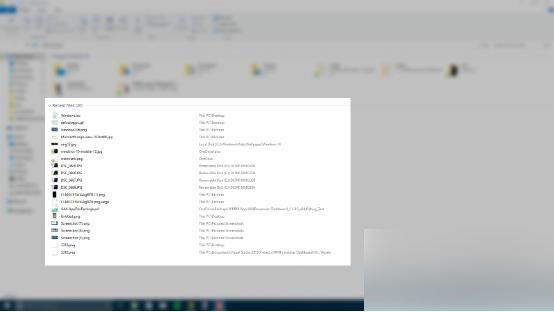
Win10 新增檔案總管「最近使用的檔案」區段,有人喜歡快速存取,有人覺得干擾瀏覽。不想要這功能?教你關閉:
以上就是 Win10 刪除檔案總管最近使用檔案的方法介紹,希望能幫助大家!
Windows 7 移除虛擬光碟機三種方法完整教學
Win10 紅石預覽版升級後無法上網?新增 APN「cmcc」恢復行動數據連線
Win10 省電模式設定教學:自訂觸發電量門檻與允許背景活動的應用程式
Windows 批量修改/新增檔案副檔名:CMD ren 指令一鍵完成
配合路由器設定電腦靜態 IP 完整圖文教學(WinXP/Win7/Win8)
Win10 週年更新 14352 上手體驗影片:新圖示、Cortana 整合、Windows Ink 改進、便利貼關聯版面
Win10 如何關閉 Windows Update 服務?服務管理員或 CMD 兩法停用自動更新
Windows 10 10240 音量控制面板從橫向改為直向顯示:註冊表修改教學