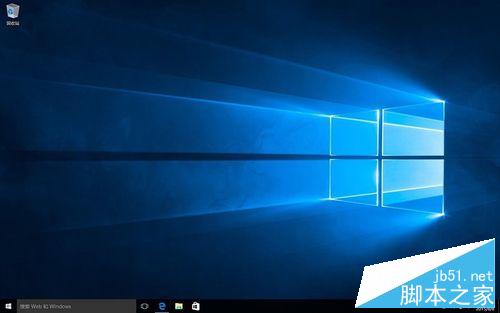
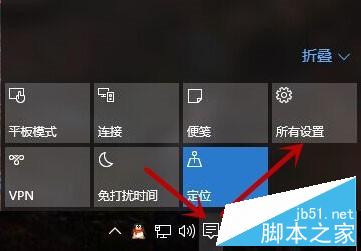
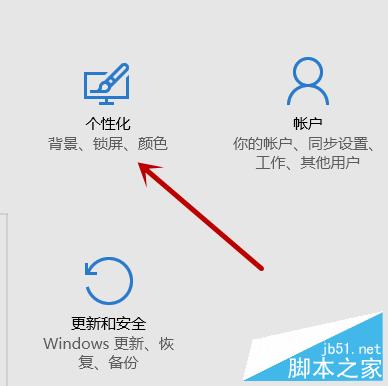
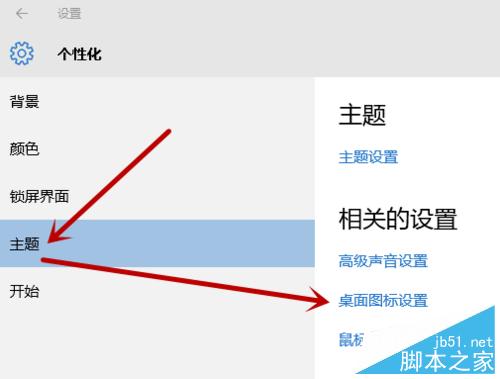
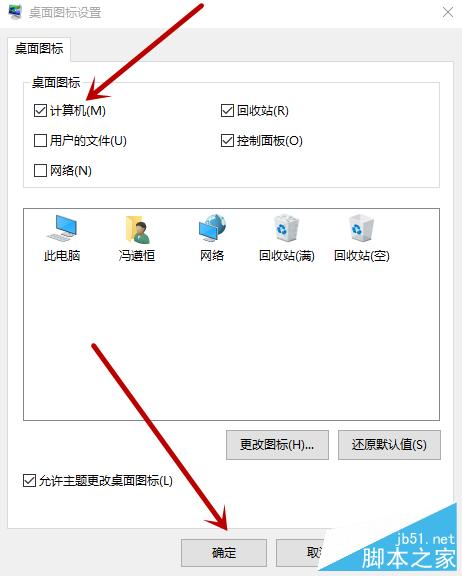
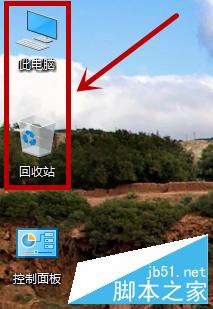
剛升級 Windows 10 發現桌面沒有「此電腦」與「控制台」圖示,使用上很不方便。以下教你快速找回這兩個常用圖示。
操作非常簡單,幾步驟即可完成,希望能幫助不習慣新介面的用戶。
Windows 7 IE 暫存檔大小、儲存位置與保留天數完整設定
製作 USB 開機碟提示「開機磁區未知」的三大原因與解決辦法
Win10 完美移植 Win7 經典開始選單:Start Menu 8 免費工具下載與體驗
如何用 USB 開機碟安裝原版 Windows XP?U 開機工具詳細圖文教學
Win10 小娜語音關機/重啟/登出/休眠?建立關機捷徑讓 Cortana 執行 shutdown 指令
Windows 登錄編輯器完整指南:結構、修改方法與實戰範例
Windows 10 「執行」命令在哪?兩種快速開啟方法(Win+R / 搜尋)
Windows 10 正式版尚未完成,微軟:請等待