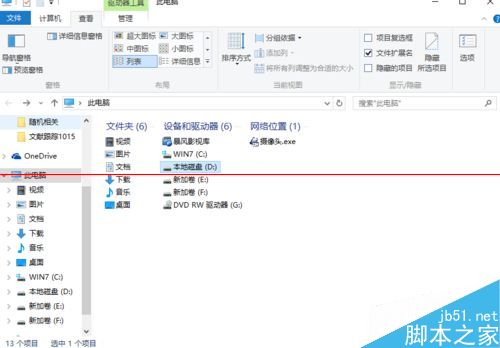
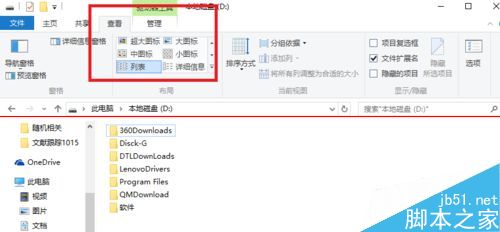
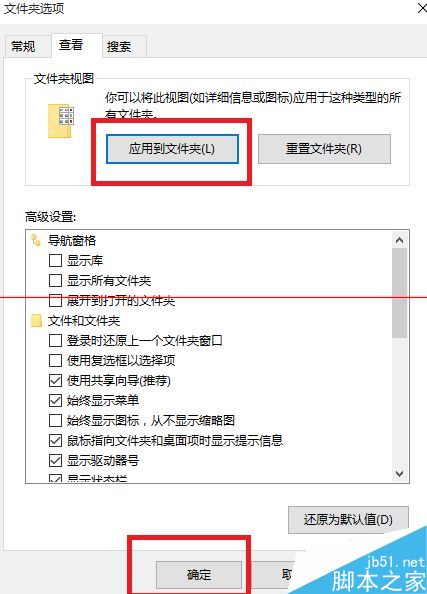
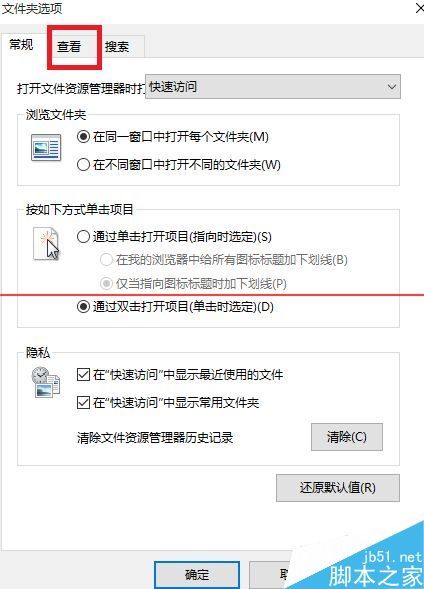
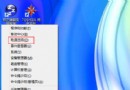
習慣 XP 操作的用戶可能找不到 Win10 統一資料夾檢視設定。以下教學設定所有資料夾為「列表」或其他模式:
微軟 Win10 新商業模式深度解析:從授權賣斷到訂閱升級的利益重組
Win10 開機太慢?關閉啟動等待時間 18 秒達成五星級神機
Win8.1 瀏覽器執行 Java 程式網頁空白?啟用 IE Java 外掛 + 控制台安全性設定 + 重置外掛
XP 系統找不到「新增/移除程式」?群組原則啟用即可恢復
从微软官网申请 Win10 安装密钥全流程:加入 Windows Insider 计划 → 获取产品密钥 → 下载 ISO
Win8.1 開始按鈕無反應怎麼辦?兩種快速修復法(登出/重啟總管)
Win7 設定螢幕保護程式完整教學(含預覽與等待時間調整)
Win7 部分 USB 隨身碟無法辨識提示驅動錯誤?更新驅動程式解決