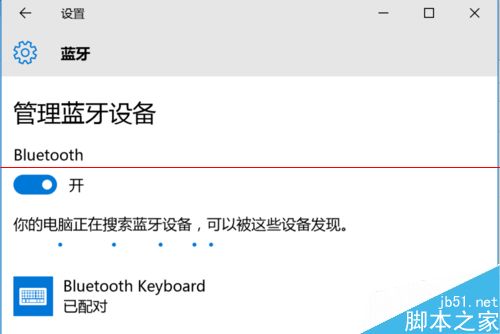
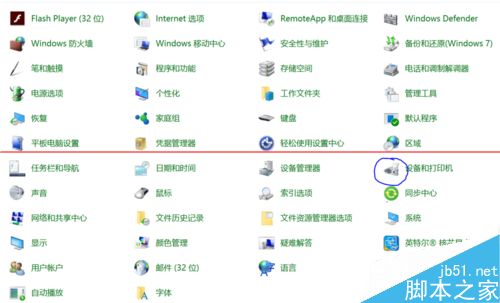
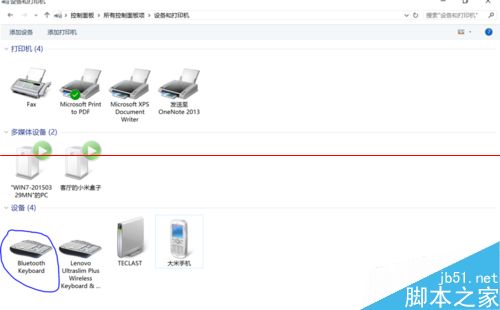
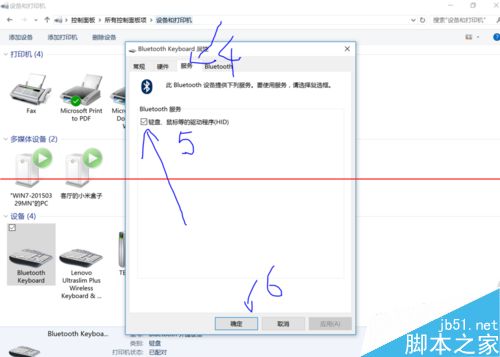
Win10 連接藍牙鍵盤顯示「已連線」卻無法打字,通常是裝置服務未啟用。解決步驟如下:
Win10 預覽版無法啟動、關機自動重開機?指令啟動與關閉自動重啟完整解法
Win10 手機版預覽版下載地址:官方連結與更新時間總整理
Win7 安裝 ServKit (PHPnow) Apache+PHP+MySQL 環境包失敗解決方案
Win10 10162 升級 10240 卡在 71% 解決辦法:拔網線/重啟路由器即可
Win10 RedStone 預覽版 14267 已知問題及修復內容彙總(持續更新)
Win10 可以不啟用嗎?不啟用後果:平均 1-3 分鐘卡頓 1-3 秒,啟用教學附試用金鑰
Win7 儲存憑證失效導致網路印表機離線?手動建立企業級憑證徹底解決
Win7 安裝 ActiveX 控制項完整教學:解決瀏覽器阻擋不安全控制項問題