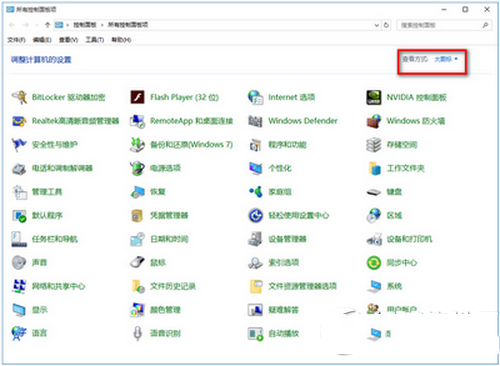
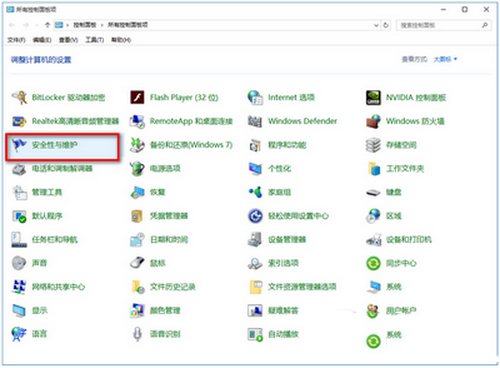
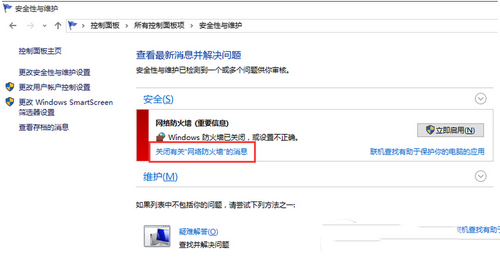
Windows 10 內建安全中心會持續監控防火牆狀態,使用者關閉防火牆改用第三方安全軟體後,系統會不斷彈出「網路防火牆已關閉」警示。本文提供兩種方法徹底解決通知干擾。
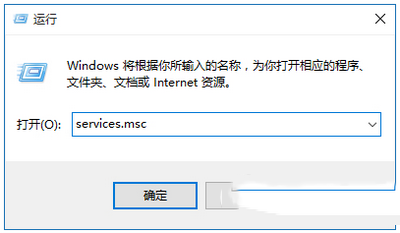
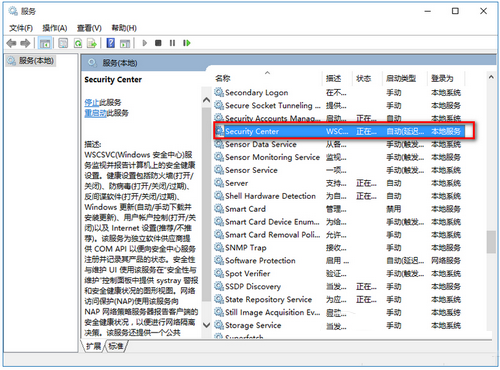
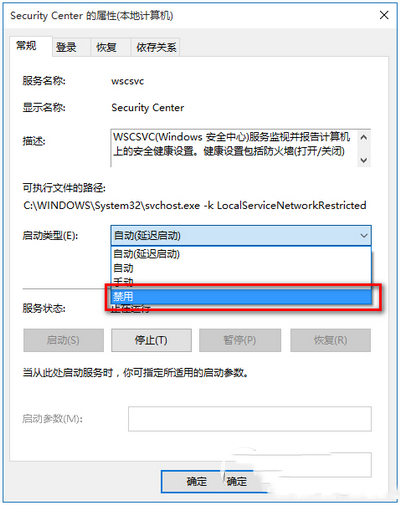
SecurityCenter 服務負責監控防火牆、防毒、反間諜、Windows Update、UAC、Internet 設定等安全健康狀態。停用後將不再有任何安全中心提醒:
SecurityCenter
services.msc
提醒:停用服務後請確保已安裝可靠第三方安全套件並能自行管理更新與掃描,避免系統處於無防護狀態。
Win10 Build 10130 Fast Ring 官方簡體中文 ISO 下載 (含金鑰、SHA-1、微軟官方說明)
Win7 系統桌面出現白色框框無法關閉的故障分析與解決方法
Win7 上網變慢、無法開啟網站次級連結?DNS 被竄改一招修復
Win8.1 開機自動開啟數字鍵鎖定的三種設定法
Win10 Mobile 10166 正式推送:修復 10149 大量已知 Bug,UI 細節再優化
Windows 7 螢幕畫面倒轉/旋轉設定教學:適應特殊螢幕擺放需求
Win10 刪除檔案提示「找不到項目,請確認位置」?自製 .bat 強制刪除工具一招解決
Windows 不用群組原則也能限制特定使用者執行程式