OS X El Capitan 推出 Split View 分割螢幕功能,與 Win10 改良版 Snap 機制類似,均可讓兩應用平分螢幕;Win10 更支援四應用分佔四角。
平板模式與桌面模式操作略有不同,10547 版進一步優化桌面分割機制。
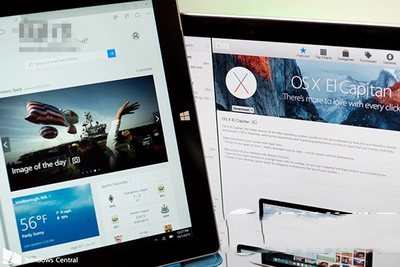
對比影片:
Win8 安裝《冒險島》提示「此程式有已知相容性問題」解決方法:一鍵隱藏提示
升級 Win10 後沒聲音?四大解決方案針對 VIA、Realtek、驅動回滾與重裝
Win7 建立無線網路連線完整教學:從控制台到工作列快速連線
Windows 8 HP 筆電建立「儲存空間」:控制台建立儲存池 → 選擇恢復類型 (簡單/雙向鏡像/三向鏡像/奇偶校驗) → 需符合最少硬碟數量
Win7 IE10 無法開啟支付寶/淘寶?加入信任網站即可解決
Win7 升級 IE 瀏覽器後開啟我的最愛/歷史記錄卡頓?重置 IE 進階設定即可解決
Windows 10 安裝介面全新改版:黑底白字搭配圓環進度條
微軟發布 Win10 Build 10041 可下載:虛擬桌面拖曳、小娜中文化、Spartan 缺席、官方 Bug 清單