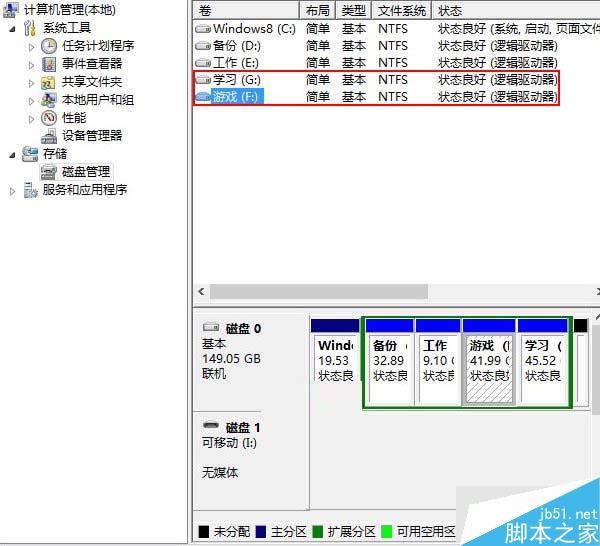
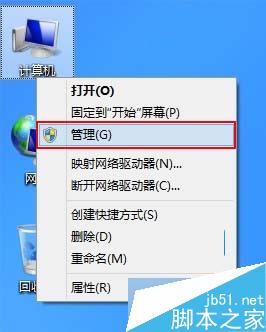
Win8 磁碟代號錯亂解決方法:
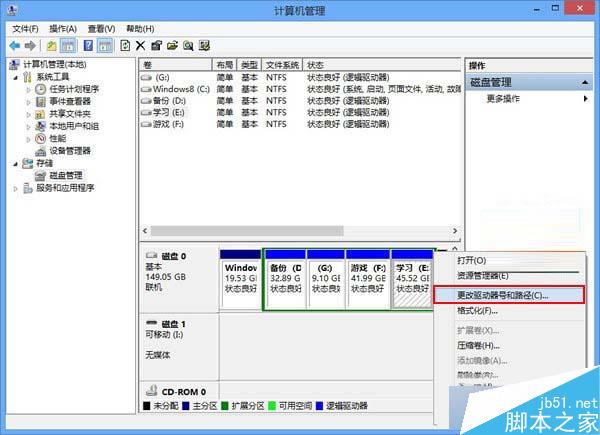
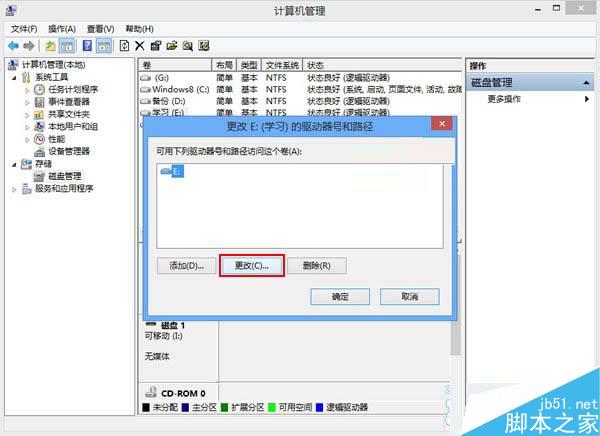
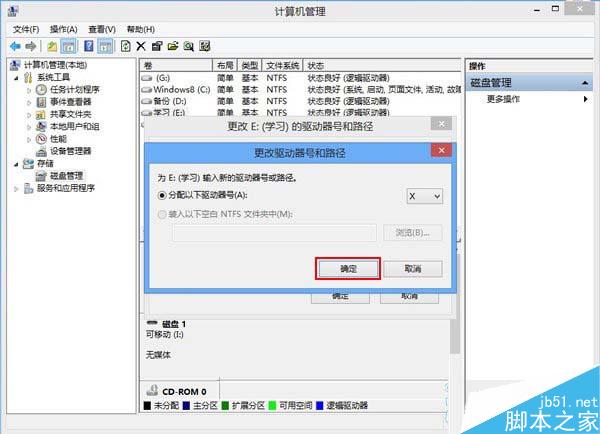
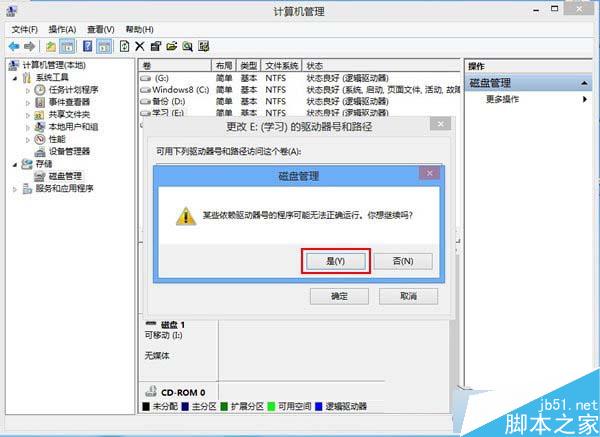
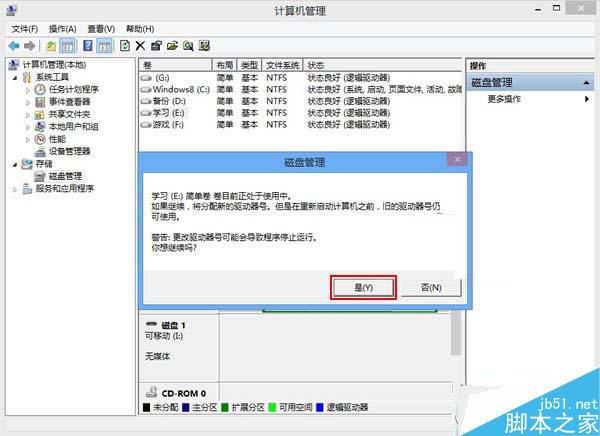
備註: 變更代號不會導致資料遺失,但安裝在該分割區的軟體可能需重新安裝。
Windows 10 觸控板手勢操作完整教學:三指手勢掌握桌面、工作檢視、切換視窗
Win10 內建畫圖編輯圖片提示「發生共用衝突」?最小化視窗 → 刪除來源檔 → 畫圖另存新檔 → 重新開啟存檔
修改 Win10 登入介面無法執行 Login.ps1 解決法:使用 PowerShell ISE 執行選取內容
微軟測試在 Win10 應用程式商店上架 Astoria (Android) 應用程式
Win7 檔案總管搜尋記錄清除教學:群組原則徹底關閉或手動刪除單筆記錄
Win10 PC 週年更新預覽版 14393 修復內容與已知問題彙整