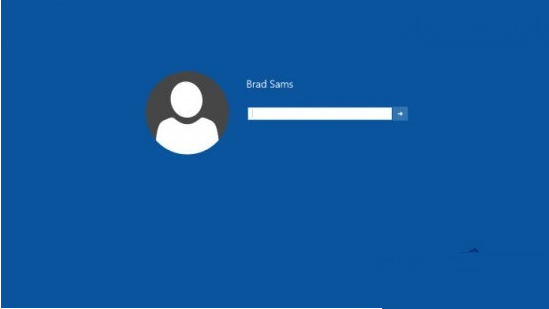
Win10 擁有隱藏的替代登入介面,啟用方法:
regedit
HKEY_LOCAL_MACHINE\SOFTWARE\Microsoft\Windows\CurrentVersion\Authentication\LogonUI\TestHooks
Threshold
1
此介面主要供開發者測試登入流程,一般使用者無實際效益。
Windows 10 正式版完成日期曝光:2015 年 7 月 13 日 16:30
Word 技巧:批次刪除表格保留內容、防止破折號換行斷開
Win10 指紋登入設定完整教學:Windows Hello 生物辨識輕鬆解鎖
Win8無法安裝.NET 3.5?同ID 75962/75967 DISM離線安裝標準流程(精簡版)
微軟 Build 2015 五大看點深度解析:Win10 新時代、Edge 瀏覽器、Office 平台化、Azure 跨平台與 HoloLens 黑科技
Win8 視窗邊框太寬浪費螢幕空間?修改登錄檔一鍵變窄
Win10 預覽版 14267 官方 ISO 映像下載:簡體中文專業版 64位 鏡像與校驗碼
Win10 TH2 企業版群組原則「延遲升級與更新」:升級可延 8 個月、更新可延數週、可完全暫停