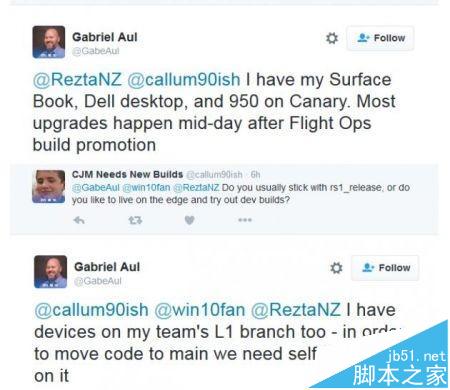
上週 Microsoft 向 Fast Ring 推送 14251,完成 PC 與行動平台版本號同步。下一個預覽版為何?Insider 專案負責人 Gabriel Aul 表示正在使用 Build 14257。

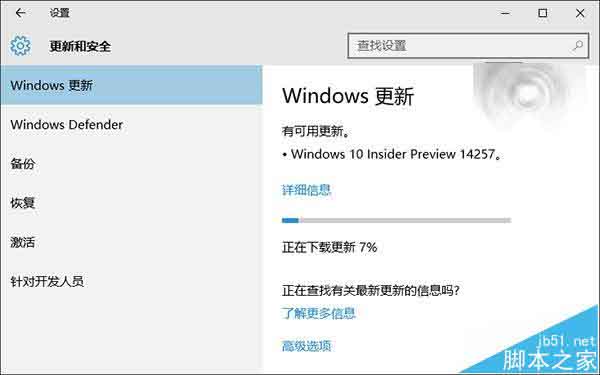
Microsoft 現已向 Insider 推送 Win10 RS1 桌面預覽版 14257,推送通道仍為「快速」,本次更新主要為 Bug 修復與底層改進,為新功能鋪路。
內部測試通道「Canary(金絲雀)」同樣透過 Windows Update 下載升級,無其他更簡單方式。Gabriel Aul 使用 Surface Book、Lumia 950 及 Dell 桌機,均在 Canary 通道。
已加入 Windows Insider 計畫的使用者可透過 Windows Update 下載安裝,稍後將提供詳細版本介紹。
相關推薦:
延長 Windows 7/Vista 使用期限技巧:slmgr /rearm 重置 30 天,註冊表修改 SkipRearm 可無限循環
使用 USB 隨身碟安裝 Windows 7 完整教學:GHOST 映像部署法
Win7 休眠喚醒後無線網絡不自動連接?電源管理設置最高性能
Win10 系統修復全攻略:善用 WinRE 恢復環境輕鬆還原、重裝、卸載問題更新
Win10 Mobile 10136 已修復問題大全:MMS Bug、鎖定畫面觸控、通知中心展開、人脈字體、Wi-Fi 快速切換、開始畫面縮放、鎖定畫面詳細狀態、返回鍵游標
升級 Win10 技術預覽版必看十大技巧:同步、Cortana、通道、Office、空間、回饋完整指南