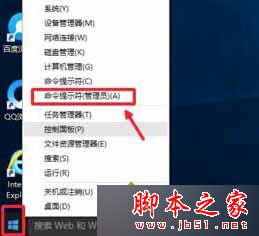
reg add HKLM\SYSTEM\CurrentControlSet\Control\Class\{4D36E96B-E325-11CE-BFC1-08002BE10318} /v UpperFilters /t reg_multi_sz /d kbdclass /f
升級 Win10 後遇到 PS/2 裝置失效,請嘗試此註冊表修復法,簡單有效。
Windows 10 9 大惱人問題急需解決:檔案總管分頁、設定分裂、搜尋/工作檢視按鈕不可移、本地帳號隱藏...
WPS 文字橫向列印設定雙法:傳統選單與新版功能區
Windows 10 正式版確定 7 月底發布:開發 6 月結束、RTM 6 月底、上市趕返校季
IE11 刪除瀏覽歷史不清除相容性檢視清單的必殺技
Win8 C 槽無法重新命名?登錄檔建立 DriveIcons\C\DefaultLabel 指定標籤
Win8 純淨版無法打開「個性化」設置?組策略啟用內置管理員批准模式
Win8 關閉 UI App 應用三法:Alt+F4/鼠標右鍵/任務管理器
Win10 如何開啟小娜語音助手?詳細設定步驟與區域語言調整教學