Windows XP Windows 7 Windows 2003 Windows Vista Windows 綜合教學 Linux 系統教學
Windows 10 Windows 8 Windows 2008 Windows NT Windows Server 電腦軟體教學
您现在的位置: Windows教程網 >> Windows教程 >  >> Windows 綜合教學 >> 關於 Windows

Win7/8.1 推送 KB3123862 升級推廣補丁:更新 Explorer.exe 圖示/選單、疑與 GWX (KB3035583) 關聯,不想升 Win10 勿安裝

編輯:關於 Windows

微軟悄悄向 Win7 SP1 / Win8.1 推送 **KB3123862**,官方描述為「增加功能讓用戶更輕鬆了解/升級 Windows 10」。實測發現:**更新 Explorer.exe、shell32.dll、authui.dll**,新增 Win10 升級相關圖示、選單項目、位圖資源。**極大機率與臭名昭著的 GWX 裝置 (KB3035583) 協同工作**,強制/誘導升級 Win10。

補丁技術細節

  • 更新檔案:Explorer.exe、shell32.dll、authui.dll (登入介面資源)。
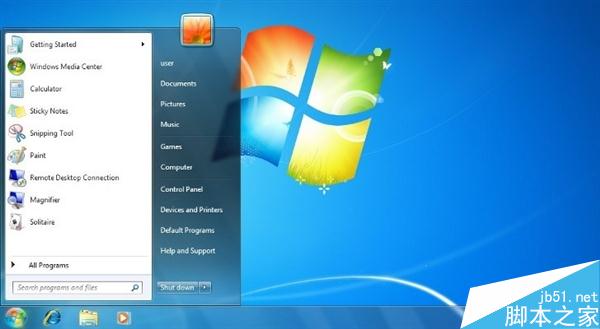
  • 新增資源:Win10 升級提示圖示、動作中心整合項目、獲取 Win10 應用程式入口。
  • 安裝後難以移除 (同 GWX),需透過「檢視已安裝的更新」解除安裝並隱藏。

KB3123862更新Explorer.exe資源

建議策略

  1. 不想升 Win10: **勿安裝 KB3123862**,在 Windows Update 中右鍵選「隱藏更新」。
  2. 已安裝: 控制台 → 程式和功能 → 檢視已安裝的更新 → 找到 KB3123862 → 解除安裝 → 重啟 → 隱藏更新。
  3. 長期防禦: 同步隱藏 KB3035583 (GWX)、KB2952664 (相容性遙測)、KB2976978 (相容性更新) 等升級推廣補丁。

背景

微軟將 Win10 列為 Win7/8.1「推薦更新」,意味著自動更新預設會下載安裝升級工具。此類補丁本質為**升級推廣軟體**,非安全性/功能性修正,企業/穩定性優先環境應嚴格封鎖。

Copyright © Windows教程網 All Rights Reserved