昨日筆者曾針對安裝 Windows 10 Mobile RedStone 預覽版 14267 的 Lumia 550 用戶提供「拆換電池」充電權宜之計。如今微軟官方教程已正式出爐:進入「刷機模式」即可正常充電。若您是首次嘗試此操作,請參考下文步驟進行。
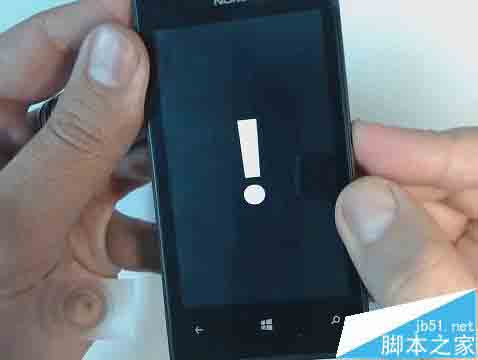
▲ 示意圖非 Lumia 550 實機
此時 Lumia 550 應可正常充電。待電量充足後,建議使用 Windows Device Recovery Tool 刷回舊版本(如 10586),這也是微軟目前建議用戶採取的方案。
Win10 Edge 瀏覽器用戶可獲額外 Bing Rewards 積分 目前僅限美國地區
Windows 10 建立系統還原點教學:系統故障快速回溯救援
Win8.1 新建帳號無法開啟內建應用?修復 AppRepository 與 WinStore 目錄
微軟為 Win10 開發全新瀏覽器代號 Spartan:輕量化、支援延伸模組、IE11 保留相容
Win10 Mobile 10536 快速通道更新確定推送,雖存應用商店崩潰 Bug 但用戶投票決定照常釋出
Windows 9 預覽版發布時間表:9 月 30 日發布會、10 月公開測試
【下載】Win10 Build 10074 曝光:64/86 位中文版本映像下載 (含 CRC32/MD5/SHA1 校驗碼)