Win10 內建行事曆應用程式現支援顯示中國農曆,需手動啟用:
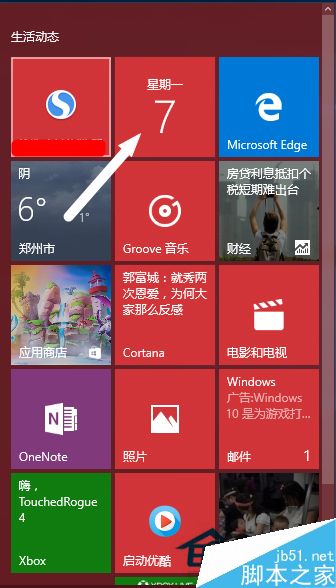
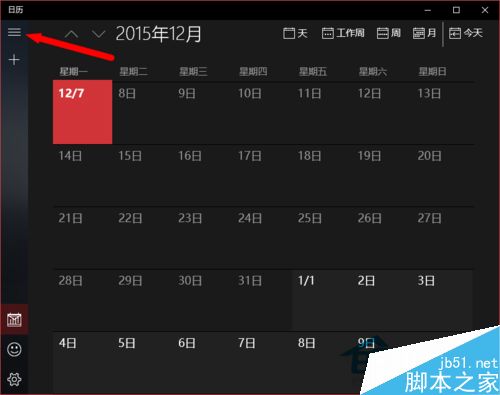
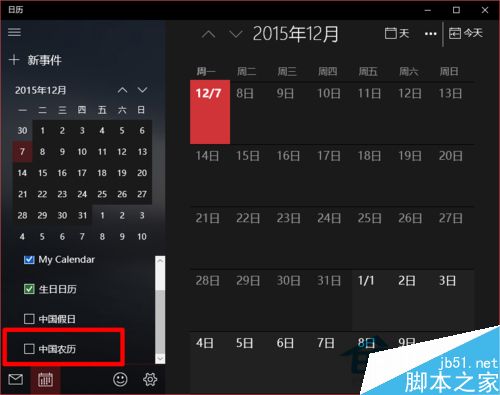
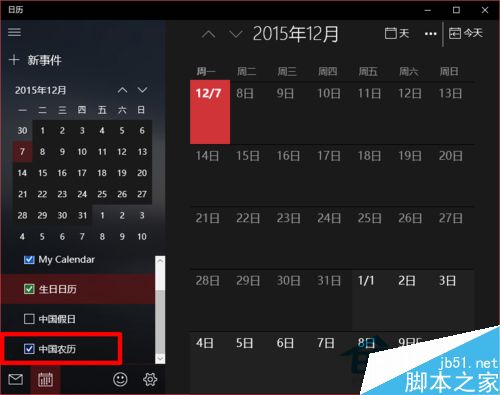
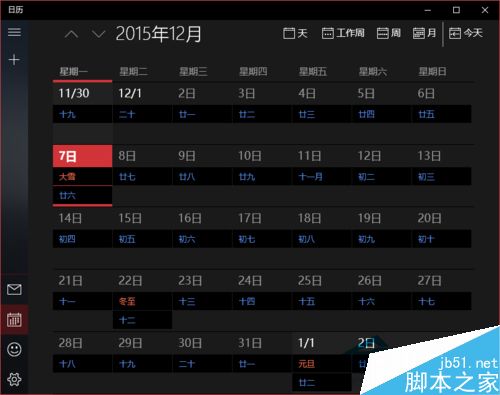
亦可匯入網頁行事曆資料,功能日益完善。
微軟向 Win 7/8.1 用戶推送 Win 10 正式版升級預下載
Win7 繁體軟體顯示亂碼?安裝繁體語言包並切換非 Unicode 程式語言即可雙軌並行
刪除 C 槽 windows.old 資料夾釋放空間:磁碟清理工具一鍵移除舊系統備份
WinXP 如何批次更改檔名?用 CMD 匯出清單 + Excel 公式產生重命名指令
Windows 10 Build 10154 介面微調與更新一覽:Phone Companion 正常化、Store 更新
在 Windows/Mac 上重溫經典遊戲:模擬器、虛擬機器與原生卡帶轉接完整指南