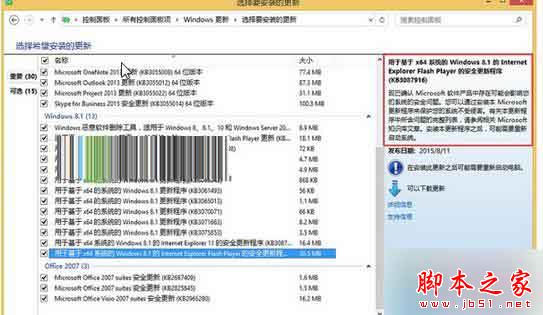
Win8.1 自動更新 Flash 後網頁報錯,通常是安裝了有問題的版本(如 KB3087916)。移除並隱藏該更新即可。
延伸:Win7 Flash Player 停止運作、Win8.1 裝 Flash 仍無法看網頁影片解法。
修改 Windows 7/XP 開機選單名稱:BCDEdit 與 Boot.ini 完整指南
Win7 滲透測試技巧:利用 netsh 端口代理實現隱蔽端口轉發
Windows 10 開啟行動熱點提示「無法啟動託管網路」?啟用 Microsoft 虛擬網路介面卡解決
Win10 Build 10061 升級失敗?註冊表修改通道 + 重置更新服務 強制推送更新
Win10 連線隱藏 SSID 的 Wi-Fi 完整設定教學
Windows 7 螢幕旋轉:快速切換顯示方向的鍵盤與滑鼠操作
Win7 系統下 RAR 壓縮檔損壞如何修復?完整教學與步驟解析
Windows 8 遊戲提示缺少 XAPOFX1_1.dll 解決方案