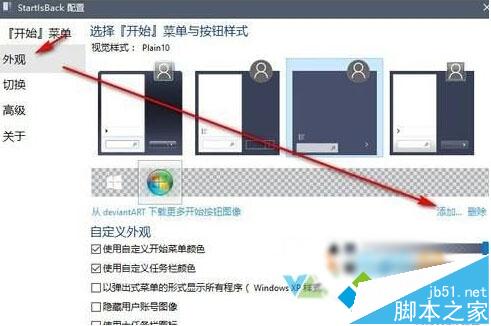
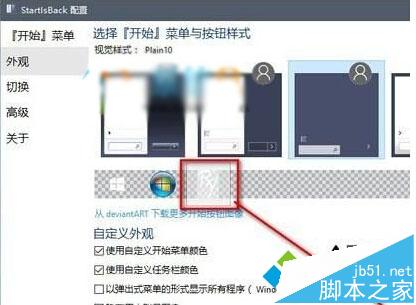
Win10 開始按鈕預設為 Windows 徽標,系統內建無更換選項。第三方工具 StartIsBack++ 提供豐富自訂功能。
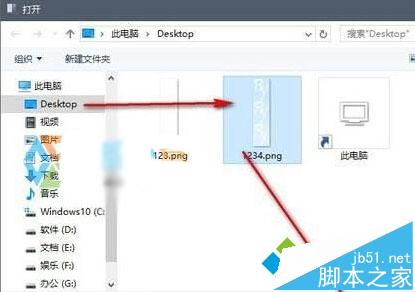
.png/.ico/.bmp 等) →「開啟」。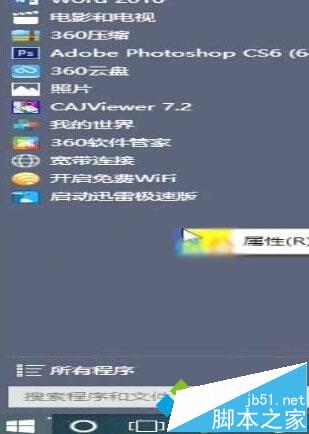
Win7 開啟多個 IE 視窗重疊顯示?工作列設定「永不合併」解決
使用盜版 Win10 體驗如何?桌面水印提示未授權、無完整安全更新、微軟推轉正優惠
Win10 家用版新增本機使用者:控制台 → 使用者帳戶 → 在電腦設定中新增使用者
Win10 滑鼠右鍵回應緩慢?清理 ContextMenuHandlers 登錄項加速選單彈出
Win7/8 升級 Win10 常見錯誤代碼對照表與解決方案:C1900101、C1900204、80070015、80240020、800703F1、80240031
Windows 7 SP1 原版 ISO 下載彙總(全版本、含 SHA1/CRC)