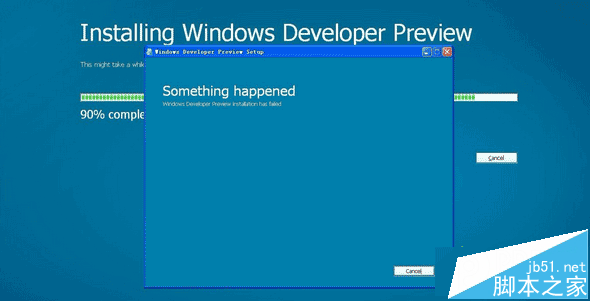
安裝 Win8 執行 setup.exe 時跳出 "Something happened" 阻止安裝。常見原因:現有系統安裝 360 等安全軟體,底層驅動干擾新系統安裝。
setup.exe
安全軟體底層攔截導致安裝失敗,暫時移除即可順利完成。更多安裝疑難雜症請關注本站!
Win8.1 Windows 日記本出現空白頁無法刪除?編輯模式選取頁面刪除即可
Windows 7/8.1 升級 Windows 10 藍屏 0x00000133 (DPC_WATCHDOG_VIOLATION) 微軟確認正在修復:暫用 storahci.sys 替代 iastor.sys 規避
Windows 8/8.1 切換本地帳號教學(解除 Microsoft 帳號同步)
Win10 10576 隱藏 UI 改進:開始畫面右鍵選單與設定應用細節優化
Win10 Mobile 10581 更新下載卡在 0% 怎麼辦?耐心等待+環境檢查即可解決
Win10 Mobile 紅石 14295 已知問題與解決方案
Win7 搭建 Android 開發環境完整圖文指南:JDK、Eclipse、ADT、SDK 全攻略
升級 Win10 後無法玩 DNF?更新顯卡驅動 + TGP 平台 / 相容模式雙解法