Windows 7 更新卡在「正在檢查更新」長時間無反應,主因為網路異常或系統更新服務設定錯誤。重置路由器並重新設定撥號通常即可恢復。
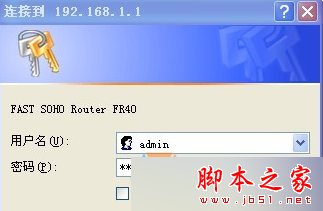
192.168.1.1) 登入 (帳密見底部貼紙)。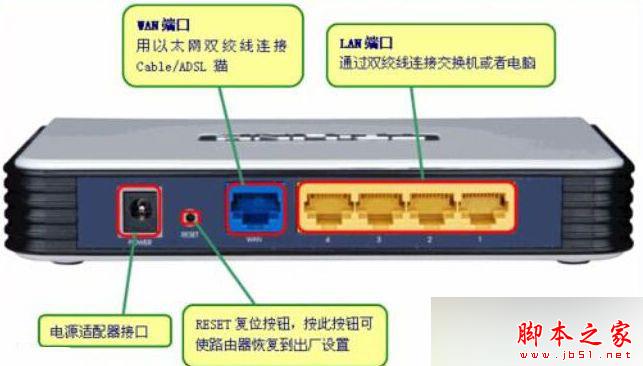

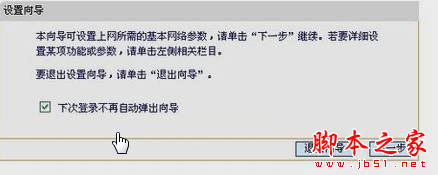
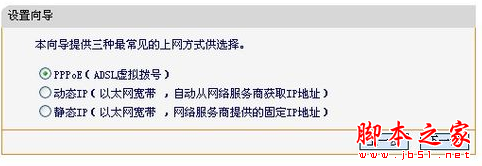
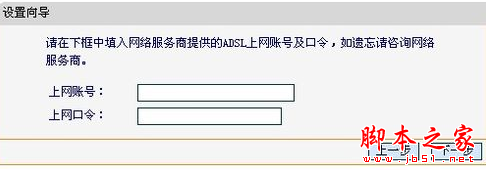
若重置網路仍無效,嘗試停用 Windows Update 服務再啟用,或執行 sfc /scannow 修復系統檔案。
Win8/8.1 經常藍屏錯誤碼 0x00000109 完整排查與解決方案
Win9 是否免費?Win7、Win8 能免費升級嗎?官方最新說法整理
Windows Server 2003 關閉 IE 增強式安全性與啟用 XP 風格主題
[下載] Win10 技術預覽版通用應用開發工具:Visual Studio 2015 CTP6 + Windows 10 SDK
解決 Windows XP 雙擊磁碟機無法開啟、提示「限制被取消」
Win10 內建 OneDrive 免費線上儲存完整使用教學:新增、同步、刪除、多裝置存取