Windows XP Windows 7 Windows 2003 Windows Vista Windows 綜合教學 Linux 系統教學
Windows 10 Windows 8 Windows 2008 Windows NT Windows Server 電腦軟體教學
您现在的位置: Windows教程網 >> Windows教程 >  >> Windows 綜合教學 >> 關於 Windows

Win7 安裝軟體提示缺少 comdlg32.ocx 三大解法:手動註冊、系統目錄補檔、360 自動修復

編輯:關於 Windows

Win7 旗艦版安裝 LRC 歌詞轉換器等舊軟體報錯 「Component 'Comdlg32.ocx' not correctly registered: a file is missing or invalid」,這是 VB6 經典常用對話方塊控制項遺失/未註冊。提供三種解法。
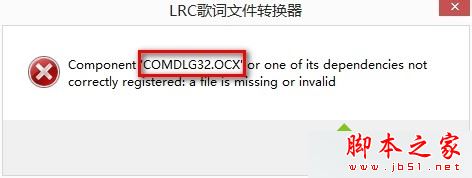
comdlg32.ocx 錯誤訊息

解法一:下載 comdlg32.ocx (單檔補救)

  1. 搜尋下載 comdlg32.ocx (約 62KB)。
軟體名稱:
COMDLG32.OCX
軟體大小:
62KB
更新時間:
2010-05-22

解法二:放入正確系統目錄 (關鍵:區分 32/64 位)

  1. 32 位系統:放 C:\Windows\System32。
  2. 64 位系統:放 C:\Windows\SysWOW64 (64 位系統執行 32 位程式讀取 SysWOW64)。
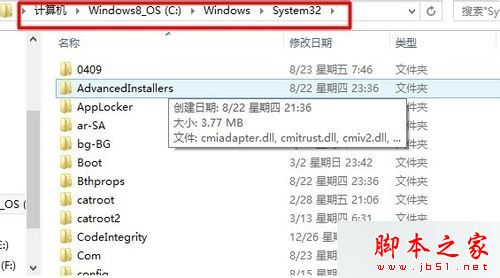
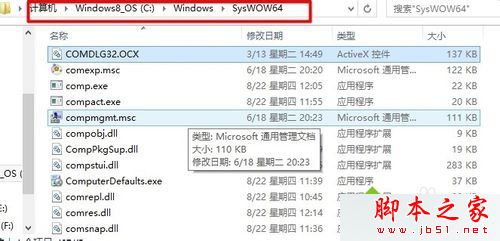
32位放 System32

64位放 SysWOW64

解法三:命令列註冊 (區分 32/64 位)

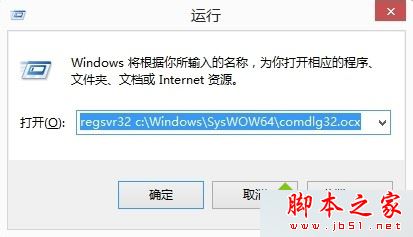
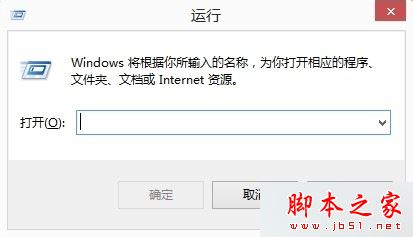
  1. Win + R 開啟「執行」。
  2. 32 位系統:regsvr32 c:\Windows\System32\comdlg32.ocx
  3. 64 位系統:regsvr32 c:\Windows\SysWOW64\comdlg32.ocx
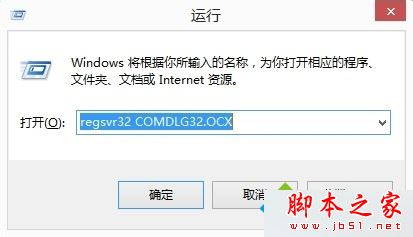
  4. 提示「DllRegisterServer 成功」即完成。

執行視窗

32位註冊指令

64位註冊指令

核心觀念:64 位 Windows 為相容 32 位程式,採用 WoW64 (Windows 32-bit on Windows 64-bit) 轉換層,32 位系統檔案實際存放於 SysWOW64,System32 反而存放 64 位檔案。補檔/註冊必須對應目標程式位數,否則無效。

相關閱讀

三種解法任選一,建議優先用解法二 + 三 (補檔並註冊) 徹底解決。

Copyright © Windows教程網 All Rights Reserved