Win10 點選「關機並更新」後藍屏提示「您的電腦未正確啟動」,多因非正常關機或更新補丁不相容導致。透過「重置此電腦」保留個人檔案可快速修復。
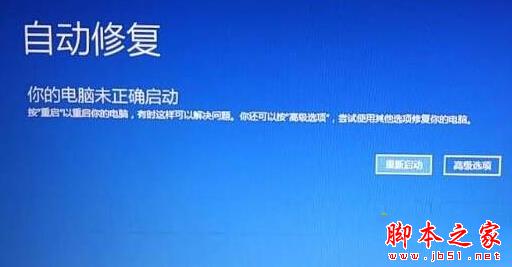
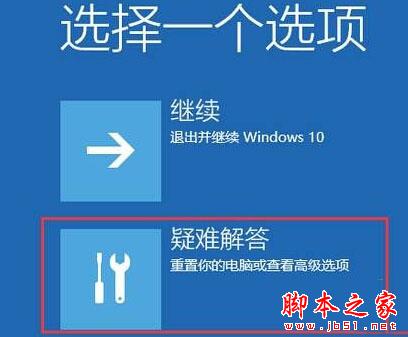

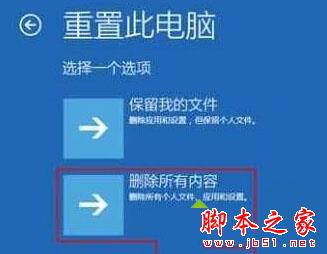
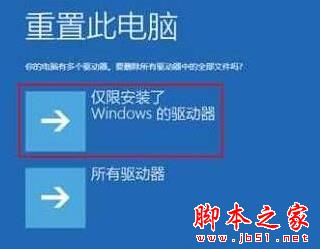
重置過程會重新安裝 Windows 但保留使用者資料,有效修復更新導致的系統檔案損壞。延伸閱讀:Win10 win32kfull 藍屏解決方法。
Windows XP C盤關鍵系統檔案詳細圖解:新手勿誤刪指南
Windows 10 通用應用商店預覽版曝光:整合多平台的關鍵一步
Win7 系統檔案修復神技:sfc /scannow 掃描修復損毀系統檔,免重灌
非官方 Windows 10 安裝 Windows Media Center 破解教學:6 步驟完成、百度網盤下載、_TestRights.cmd + Installer.cmd 自動化部署
Win8.1 連接 WLAN 提示「不可用」故障分析與三大解決方案
Win10 10565预览版:默认打印机自动切换为最近使用,支持手动固定