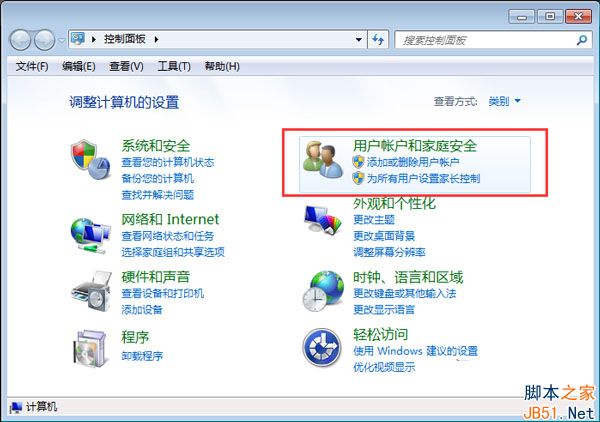
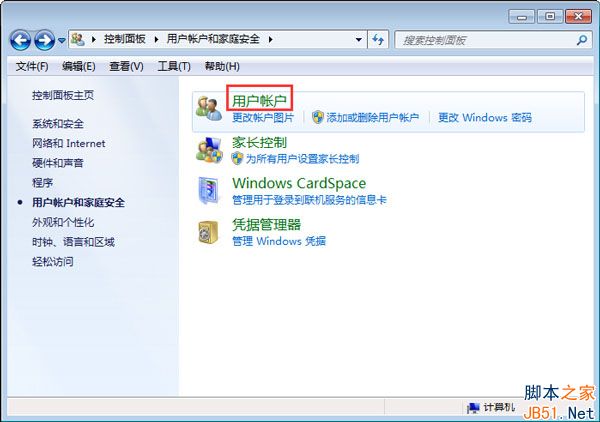
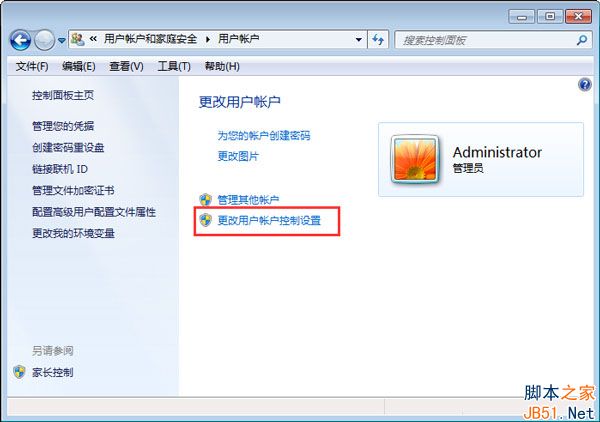
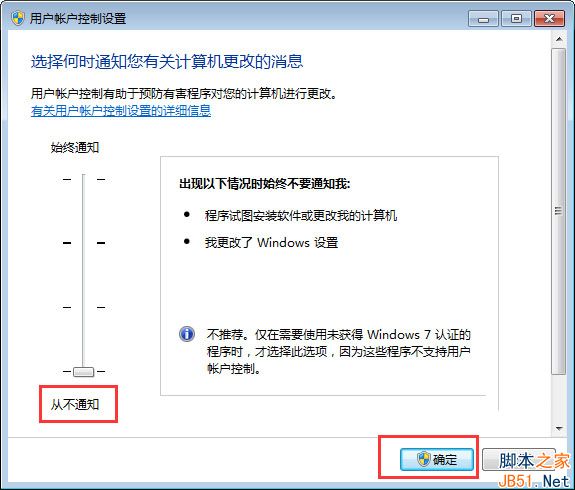
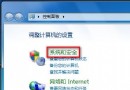
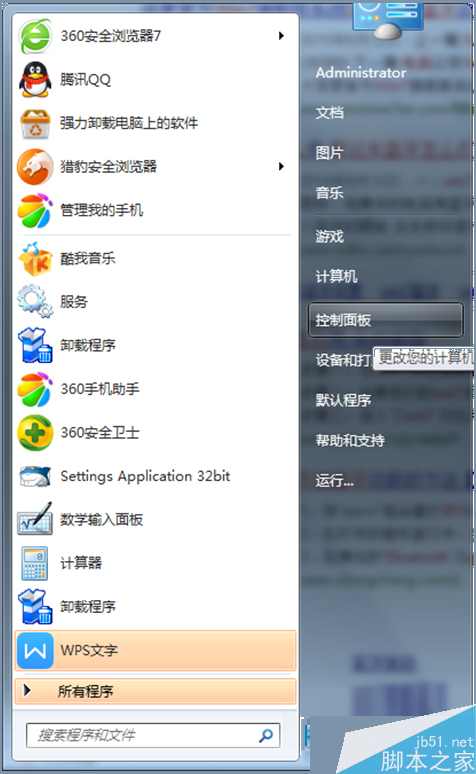
HIPS(主機入侵防護系統)在 Win7 中對應「使用者帳戶控制 (UAC)」。若覺得頻繁彈窗干擾,可調整為不通知模式(實質關閉防護提示)。
注意:關閉 UAC 會降低系統安全性,建議僅在受信任環境或臨時操作時使用,平時建議保持預設或較高等級。
Win10 預覽版 10022 更新內容匯總:圖示微調、底層優化、無斯巴達瀏覽器
Win7 與 Ubuntu 雙系統完美移除 Ubuntu 教學
Win10 多工作業檢視完整教學:虛擬桌面、視窗快速切換、多螢幕模擬
Win10 硬體需求曝光:最低配置不高於 Win7/Win8,老電腦也能跑
Win10 關閉視窗 Snap 佈局功能:一鍵登錄禁用 DockMoving
Windows 電腦如何預約 Win10 免費升級版?實測截圖流程
Win10 桌面背景黑屏不顯示?同 4955 解法:開啟「顯示 Windows 背景」
Win10 WiFi/有線網路頻繁斷線?關閉網卡省電功能解決教學