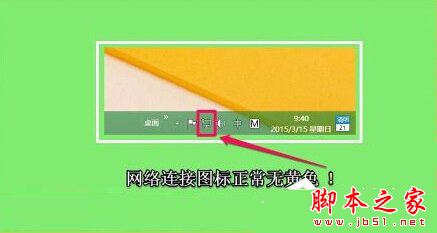
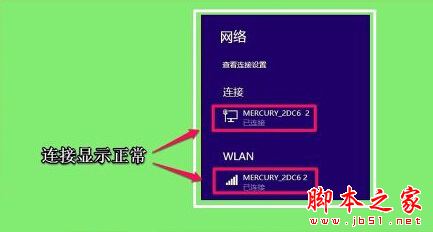
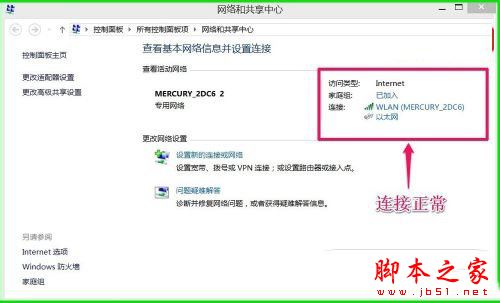
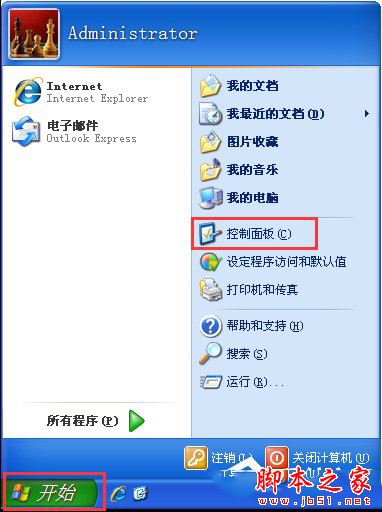
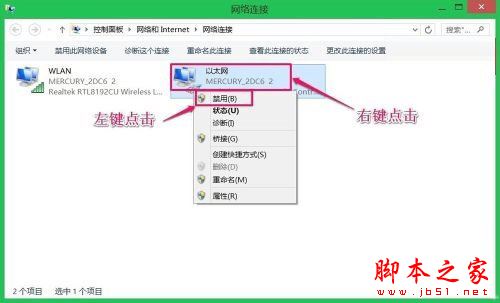
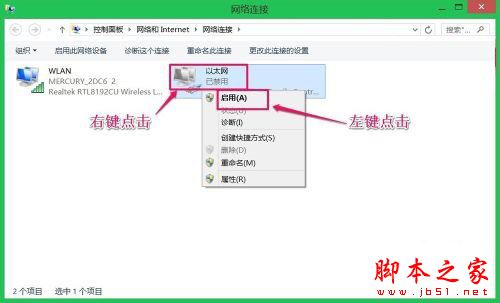
Win8 顯示已連線、網路圖示正常、共用中心正常,但網頁、QQ 皆無法連線。解法:右鍵網路圖示 → 開啟網路與共用中心 → 左側「變更介面卡設定」 → 右鍵「乙太網路」 → 「停用」 → 等 1 分鐘 → 右鍵「啟用」。重置介面卡狀態即可恢復上網,供遇同問題者參考。

Win8 無法更改防火牆設定怎麼辦?統一安全中心與防火牆服務登入帳號
XP 開機緩慢解決:msconfig 精簡啟動項、關閉網路搜尋、固定 IP、清理 Prefetch
Win10 查看 DirectX 版本圖解教學:執行 dxdiag 指令,預覽版顯示 DirectX 11,正式版將內建 DX12
修改 Windows 8 開始畫面磚列數:登錄編輯器自訂最大列數
Windows Server 2008 Core 管理五大實用技巧:解析度、提示字元、啟用、遠端管理、UAC
Win10 預覽版 14257 新增功能匯總:本次以修復為主,無新功能加入