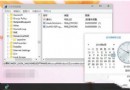
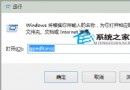
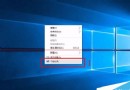
個人電腦無需開機密碼,移除方法:
下次開機直接進入桌面,省去輸入密碼步驟。
Win10 Mobile 紅石 14283 更新內容:電話/郵件行事曆增強、動態磚邏輯優化、通知中心改善
微軟 EULA 新條款:Windows 10 可禁止使用者玩盜版遊戲、使用盜版軟體與未授權硬體
Windows 7 如何設定資料夾權限禁止他人修改與刪除?NTFS 安全性設定圖文教學
Windows 7 視窗管理進階設定:滑鼠懸停啟動、拖曳不自動最大化
Windows 10 或推隨身碟安裝版:家庭版 144 美元、專業版 238 美元價格曝光
微軟推送 Win10 Mobile 10586.682 更新:專為無法升級週年更新的老裝置修復 Bug