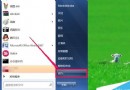
筆電電源鍵緊鄰 ESC,常因誤觸導致系統關機或重啟,資料未存檔慘劇頻傳。透過「電源選項」將電源鍵動作改為「無動作」或「睡眠」,即可杜絕誤觸風險。
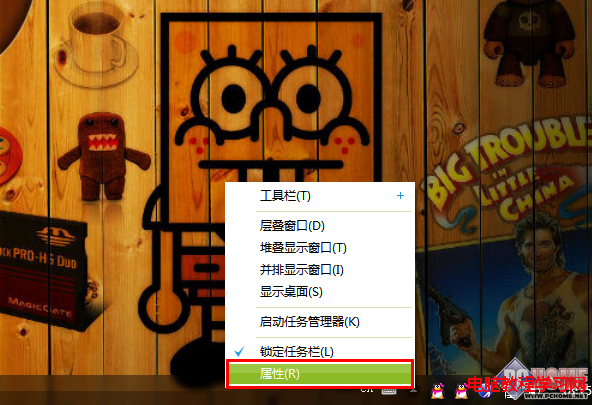
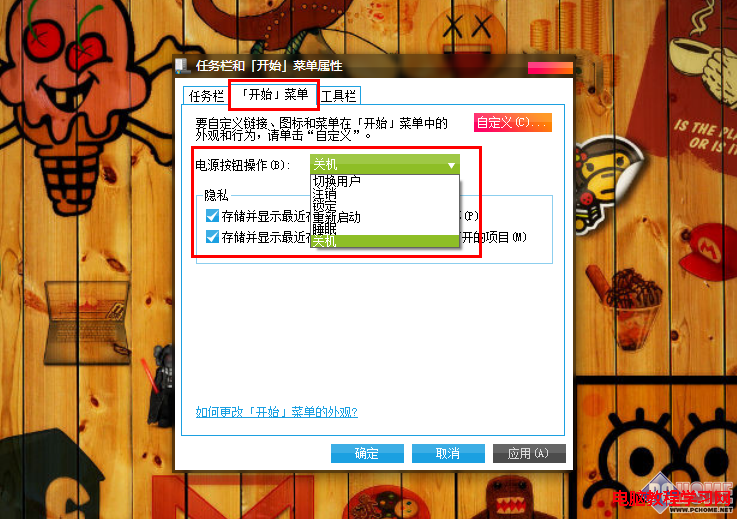
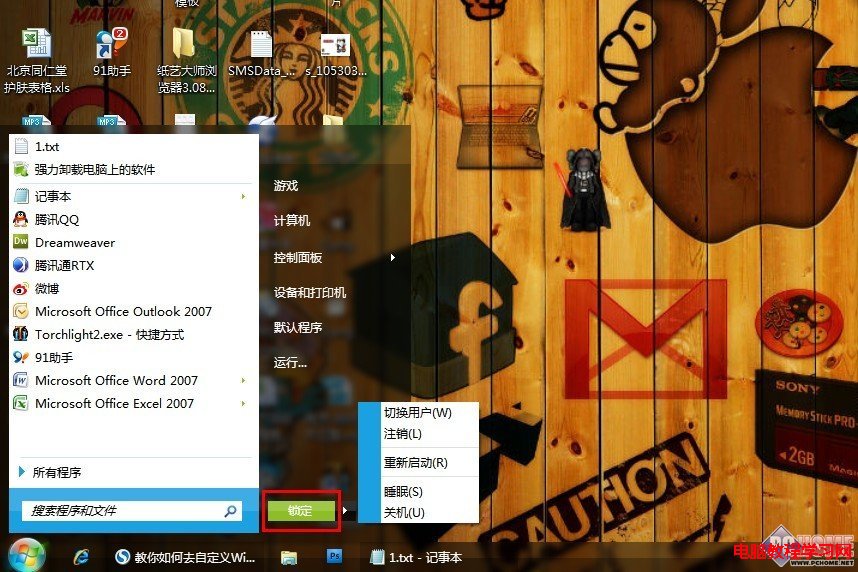
設定後,開始功能表的關機按鈕亦同步變更,誤按電源鍵不再造成資料遺失。
iPhone 與 Win10 電腦雙向傳檔完整教學:照片、影片、檔案互傳不求人
Win7 寬帶撥號上網完整圖文教學:PPPoE 連線設定步驟詳解
微軟補丁日 13 項安全更新總量高達 1.2GB,實際僅需安裝 3 個高危補丁
Win10 應用商店閃退/無法開啟?DISM 掃描修復或 PowerShell 重裝兩大招
Win10 預覽版 10162 慢速通道下周推送,同步釋出 ISO 下載
微軟官方澄清:CMD命令提示符不會被PowerShell取代,將長期共存作為Windows核心組件
Win10 週年更新 14352 Edge 瀏覽器新增支援 H.264/AVC 視訊標準,奠定 WebRTC 即時通訊基礎