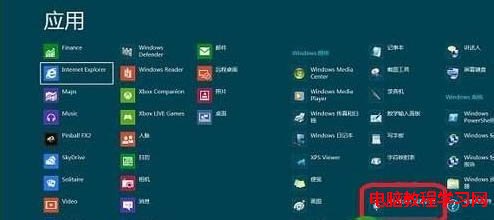
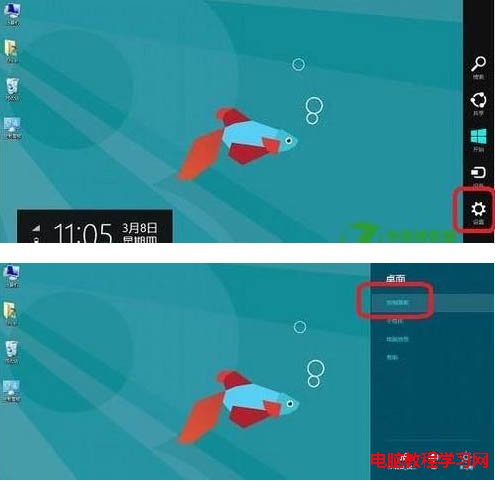
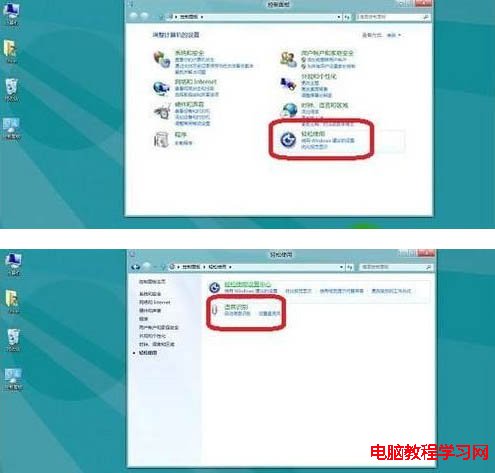
Win8 內建語音辨識,筆電用戶解放雙手好幫手。兩種開啟方式:
進入後依個人需求調整設定,語音輸入不再是華而不實的功能。
Win10 IE 瀏覽器視窗不最大化?捷徑屬性設定「執行方式」為最大化
Win10 將騰訊 QLV 格式轉 MP4?CMD copy /b 合併 .tdl 分片並重命名副檔名即可,無需第三方工具
Win7 建立強力密碼/密碼片語技巧,大幅提升帳號安全性
Win9 將整合即時遙測系統「Asimov」,加速修補漏洞與功能迭代
Win8 設定滑鼠單鍵開啟資料夾教學
升級 Win8.1 提示「無法更新系統保留分區」解決方案
Win10 酷狗音樂全螢幕播放 MV 畫面撕裂、抖動?將視訊渲染改為 VMR7 無視窗模式
微軟承認 Win10/Win8.1 應用商店購買安裝出現錯誤,建議用戶重試操作以解決問題