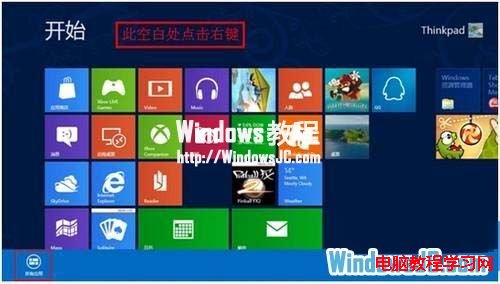
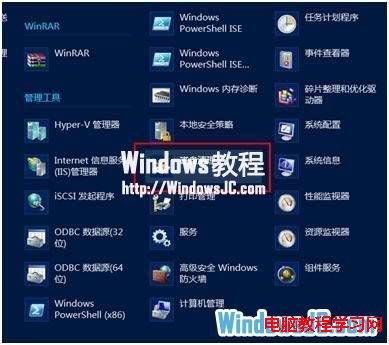
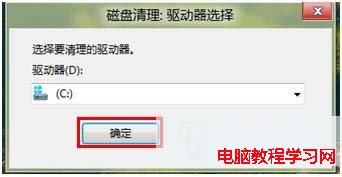
Windows 8 磁碟清理工具隱藏在開始畫面「所有應用」中,操作路徑與 Windows 7 不同。
同樣可點選「清理系統檔案」進行深度清理(含 Windows 更新備份、裝置驅動程式等)。建議每月執行一次保持 C 槽空間充裕。
Win8 系統關閉自動維護提升效能:完整圖文教學
Windows 8 設定左手模式滑鼠按鍵對調教學
Win10 關閉 Windows 自動更新兩種方法詳解
WinXP + Vista 雙系統啟動修復:手動重建 BCD + bcdedit 加入 XP 項目
Win10 如何關閉/禁用 OneDrive 同步?圖文教學關閉雲端備份保護隱私
Win10 查詢應用程式安裝位置的四種實用方法
Win10 小冰怎麼開啟?透過小娜搜尋框輸入「小冰」喚醒文字聊天機器人
Win10 工作列跑到螢幕右側?兩招快速還原到底部位置