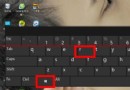
Windows 8 移除開始按鈕,關機操作變繁瑣。最快方法:在桌面按 Alt+F4 直接呼出「關閉 Windows」對話框,選擇「關機」按 Enter 即可。
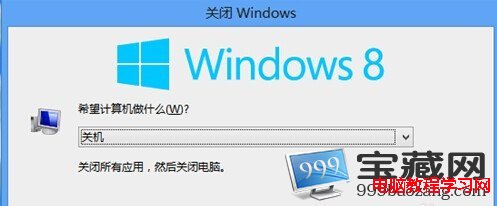
此法同樣適用於 Windows 7/10/11。其他關機方式:Charm 列→設定→電源、Win+X→關機或登出→關機、命令提示字元執行 shutdown /s /t 0。
Win7 無法清除 DNS 快取?啟動 DNS Client/DHCP Client 服務後再執行 ipconfig /flushdns
Win10 內建防火牆完整設定指南:阻擋惡意攻擊不誤殺正常連線
關閉 Windows 自動更新服務完整教學:服務管理、群組原則、登錄檔三大方案
Windows 8.1 升級失敗解決:缺 KB2871389 更新、ISO 掛載改硬碟安裝
Win10 字體模糊不清晰怎麼調整?自訂縮放等級設為 100% 解決
延長 Windows 7/Vista 使用期限技巧:slmgr /rearm 重置 30 天,註冊表修改 SkipRearm 可無限循環