Windows 8 使用 Microsoft 帳號 (Live ID) 安裝後,每次開機需輸入密碼。透過傳統 `control userpasswords2` (或 `netplwiz`) 介面,可在**保留密碼**前提下啟用自動登入,適合家用桌機、單人使用環境。
操作步驟
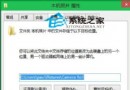
- Win+R → 輸入 `control userpasswords2` → Enter
- 「使用者帳號」視窗 → 選取目前帳號 → **取消勾選「要使用這台電腦,使用者必須輸入使用者名稱和密碼」** → 套用
- 彈出「自動登入」對話框 → 輸入 **使用者名稱** (完整 Live 信箱) 與 **密碼** → 確定
- 重開機驗證:直接進入開始畫面/桌面
關鍵提醒
- **帳號預設為 Live 信箱** (如 `user@outlook.com`),不可改為顯示名稱
- 密碼欄可填 **目前 Live 密碼** 或 **新密碼** (僅影響自動登入,不變更帳號實際密碼)
- 安全性:實體接觸者可直接存取,**僅限受信任環境**
- 恢復:重新勾選該選項即可
替代指令
`netplwiz` 介面與功能完全相同,Win 8/8.1/10/11 通用。
一分鐘設定,告別每日開機輸入密碼,保留 Microsoft 帳號雲端同步、Store 授權、OneDrive 整合等完整功能。