Windows XP Windows 7 Windows 2003 Windows Vista Windows 綜合教學 Linux 系統教學
Windows 10 Windows 8 Windows 2008 Windows NT Windows Server 電腦軟體教學
您现在的位置: Windows教程網 >> Windows教程 >  >> Windows 綜合教學 >> 關於 Windows

啟用 Windows 8 IE10 追蹤保護過濾廣告:訂閱 EasyList 免裝擴充套件

編輯:關於 Windows

IE10 內建「追蹤保護」功能,可阻擋網站追蹤與廣告。本文教您開啟追蹤保護並訂閱知名規則清單 EasyList (EasyPrivacy),以及透過 HTML 檔案一鍵添加「ChinaList」中文廣告過濾規則,免安裝 Adblock Plus 等擴充套件即可享受淨化瀏覽體驗。

操作步驟

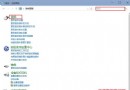
  1. IE10 → 齒輪圖示 → 「管理增益集」 → 「追蹤保護」 → 「線上取得追蹤保護清單」。
  2. 管理增益集追蹤保護
  3. 在微軟官方庫中找到 EasyList (EasyPrivacy) → 點選「新增」。
  4. 新增 EasyList
  5. EasyList 訂閱確認
  6. 追蹤保護清單管理
  7. 為添加 ChinaList:複製以下代碼存為 add_tpl.html,雙擊執行:
    <html><a href="javascript:window.external.msAddTrackingProtectionList('https://cjx82630.googlecode.com/files/adblock.tpl', 'chinalist')">Add TPL</a></html>
  8. ChinaList 添加頁面

效果

啟用後,IE10 會自動阻擋符合規則的追蹤腳本、廣告框架與第三方 Cookie,網頁載入更快、隱私更受保護。

Copyright © Windows教程網 All Rights Reserved