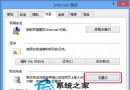
之後 Word、軟體關於頁等外部連結皆會在現有 IE 視窗新分頁開啟,不再彈出新視窗。
Win10 啟用與關閉內建 Administrator 管理員帳號完整教學
Win10 桌面找不到「此電腦」圖示?一鍵開啟桌面圖示設定顯示電腦圖示
Windows 7 忘記開機密碼怎麼辦?老毛桃 PE 清除密碼圖文教學
Win7 關閉阿里旺旺自動登入/記住密碼:登入介面取消勾選兩選項即可
Win10 10240 激活失敗錯誤 0xC004C003 解決方法
Win10 系統崩潰怎麼辦?重置功能比重裝更強,保留資料又乾淨
Win10 如何設定多時區時鐘?系統內建 3 組+鬧鐘時鐘 App 無限擴充
Windows 8.1 開啟「程式庫」功能 找回 Win7 風格資料夾管理