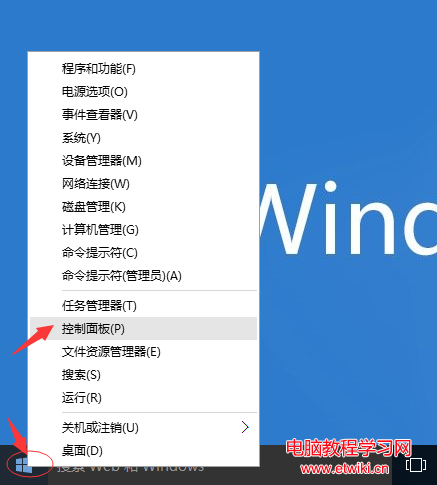
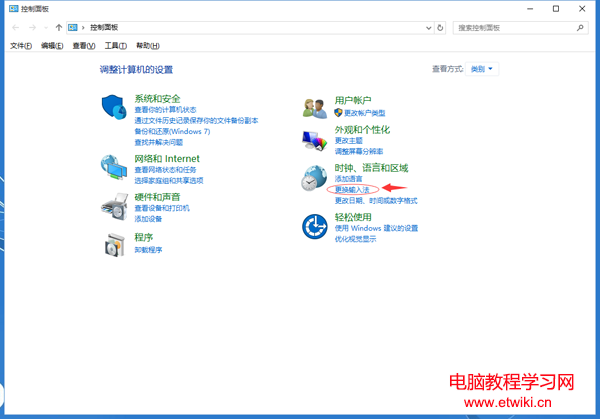
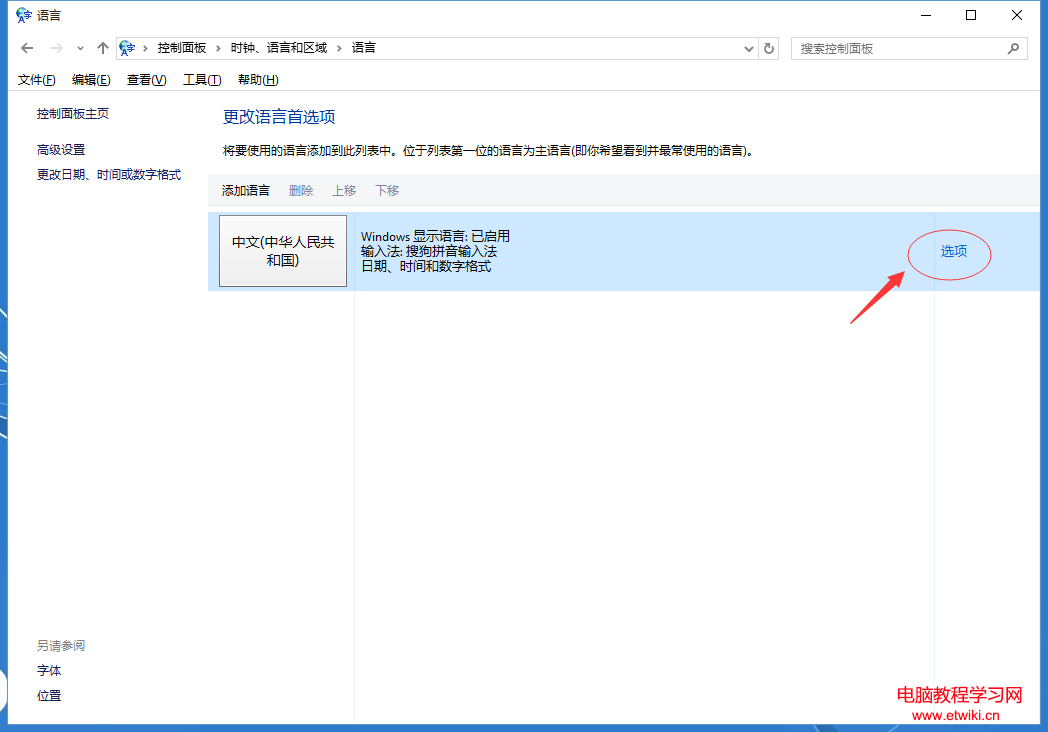
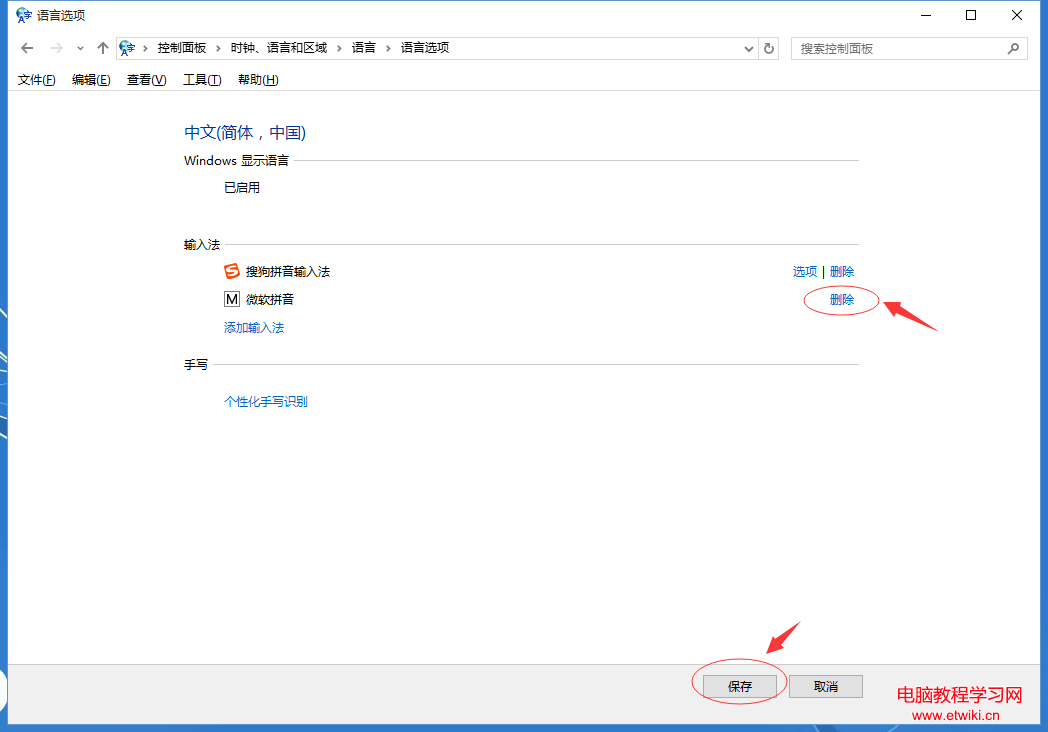
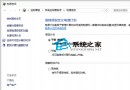
Win10 內建輸入法若不需使用,可透過「語言」設定移除:
移除後該輸入法即不再出現在切換清單中。若日後需要,可同樣在「選項」中點「新增輸入法」重新安裝。
Win10 如何設定本地帳戶使用者名稱 (兩種方法)
Windows 7 滑鼠懸停自動啟用視窗:輕鬆存取設定啟用
微軟釋出 Windows 10 Insider 專屬壁紙:忍者貓騎獨角鯨與恐龍多解析度下載
Windows 7/10 「Windows 無法連線到無線網路」完整排查指南
Win10 正式版預設瀏覽器無法在瀏覽器內修改?必須在系統設定→預設應用程式→Web 瀏覽器變更
Win10 線上帳號切換為本地帳號登入完整教學
關閉 Win10 升級推播四大法:群組原則、登錄檔、停用保留、升級後封鎖
Ghost 版 Win8.1 提示授權即將過期?重新啟用工具即可