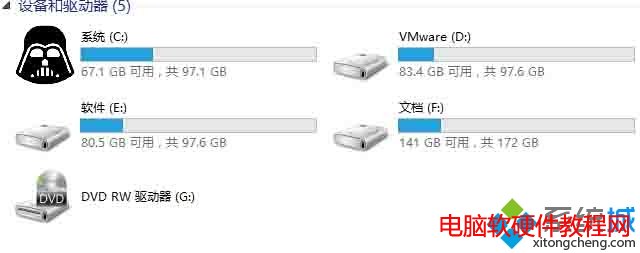
想讓磁碟機圖示更個性化?Windows 10 可透過在磁碟根目錄放置 .ico 檔與 autorun.inf 設定檔,輕鬆更換本地磁碟圖示。以下為詳細步驟。
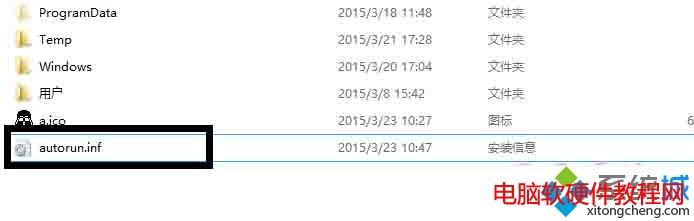
.ico
autorun.inf
a.ico
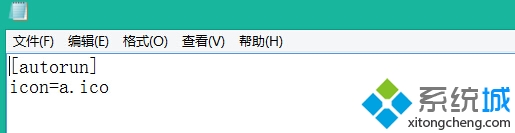
[autorun]
icon=a.ico
此法適用於所有磁碟分割,無需第三方工具,簡單有效。
Windows 10 關閉使用者帳戶控制 (UAC) 提示:啟用內建 Administrator 最高權限帳號
惠普:Win10 騰飛前需消化 Win8/8.1 庫存,免費升級政策恐阻礙新機銷售
Win10 無法存取網路錯誤 0x80072FBF 解決法:檢查時間與網路診斷
Win10 筆電電池圖示消失?三大解決方案(設定開關、裝置管理員重置、重開機)
Win7 輸入法全形/半形切換熱鍵無法修改?登錄編輯器強制設定 Ctrl+\ 解決
關閉 Windows 8 IE10 讓其他瀏覽器成為預設:關閉 Windows 功能
Win7 休眠狀態下持續下載:啟用 Away Mode 離線模式
微軟:無法確定 Lumia 530 (4GB 儲存) 能否升級 Win10 Mobile