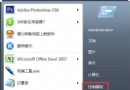
DNF 原為 XP 時代遊戲,在 Windows 7 下會被判定為不相容程式而以 PCA 模式執行導致卡頓。解決方法是停用「程式相容性助理服務」,專業版/旗艦版另需透過群組原則關閉相容性引擎。
gpedit.msc。
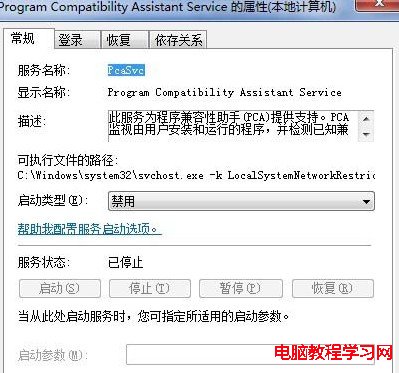


完成設定後重新啟動遊戲,卡頓問題應可解決。
XP 刪除印表機提示「後台列印服務未執行」解決:啟動 Print Spooler 服務
Win7 如何查看電腦記憶體?三種內建方法快速掌握 RAM 資訊
Win10 Build 10074 釋出兩項安全更新 KB3051768/KB3051768
Win10 任務列預覽圖礙事怎麼關?註冊表修改 ExtendedUIHoverTime 與 NumThumbnails 徹底禁用預覽縮圖
Windows 10 開機音效消失?啟用「播放 Windows 啟動聲音」選項找回經典開機音樂
Win7 IE 瀏覽網頁提示「離線狀態下網頁無法使用」?取消「檔案」→「離線工作」勾選