查看內建 Administrator 帳戶屬性時彈出「工作站服務未啟動」錯誤,因 Server 與 Workstation 服務被停用。啟用這兩項服務即可恢復正常。
services.msc 開啟服務管理員。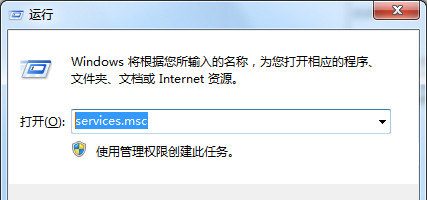
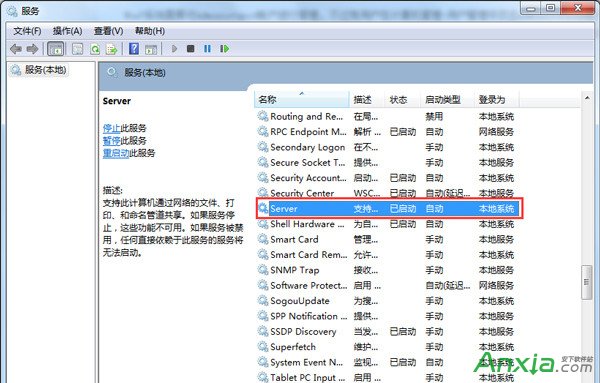
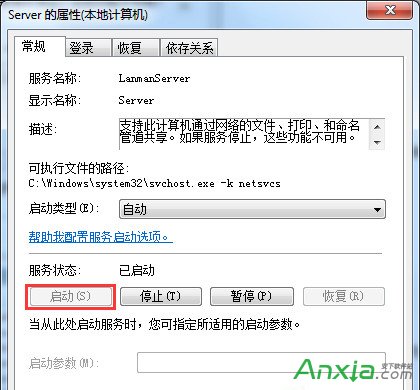
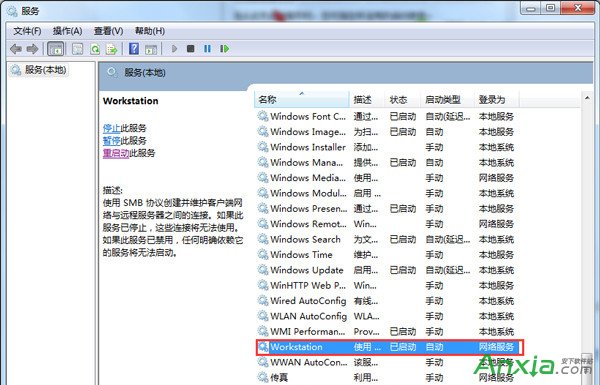
原因分析:Server 服務支援檔案/列印/命名管道共享,Workstation 服務支援連接遠端共享資源,兩者為網路與帳戶管理基礎服務,被優化工具誤停用會導致此錯誤。
XP 系統提示 Baidusdsvc.exe 應用程式錯誤?移除重裝百度殺毒解決
XP 開機跳出「登錄檔空間不足」?清理啟動項、刪除垃圾、調大虛擬記憶體三步驟解決
Win10 Insider 計畫加入步驟圖解:微軟官網登入 Microsoft 帳號、接受隱私條款即可
Windows 8 設定定時關機:shutdown 指令一行搞定
Win10 系統下 Excel 2007 無法正常運作的解決方案
Windows 10 開啟 Windows Defender 內建防毒教學:必須先關閉第三方防毒軟體才能啟用即時保護