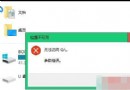
依序嘗試四大方案:
Shockwave Flash Object
Flash.ocx
C:\Windows\System32\Macromed\Flash
C:\Windows\SysWOW64\Macromed\Flash
regsvr32 Flash.ocx
逐步排查通常能解決 Flash 載入失效問題。
升級 Win10 後開機慢、黑屏久?關閉「快速啟動」+ 更新顯卡驅動雙管齊下徹底解決
Windows 10 升級最低硬體規格需求:幾乎所有現役電腦皆可運行
NVIDIA 釋出 314.07 WHQL 驅動:Crysis 3 效能大幅優化,支援 Win8/Win7/XP
Windows 10 企業版 KMS 激活完整指令教學(含驗證步驟)
Windows 8 UI 設計師闡述 Modern 介面設計初衷:區分入門與深度用戶、娛樂與工作雙軌
微軟坦言:Win8.1「啟動至桌面」功能終將移除,始畫面才是未來
Windows 10 升級風險評估:新功能誘人但 Bug 頻出,建議觀望半年後再升
Windows 8 激活完整指南:MAK 多次激活金鑰與 KMS 金鑰管理服務雙模式詳解