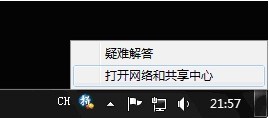
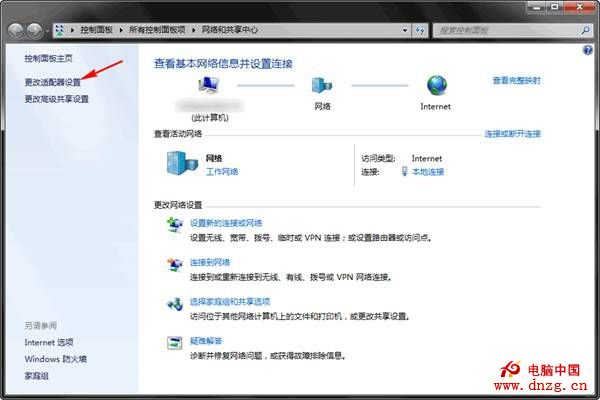
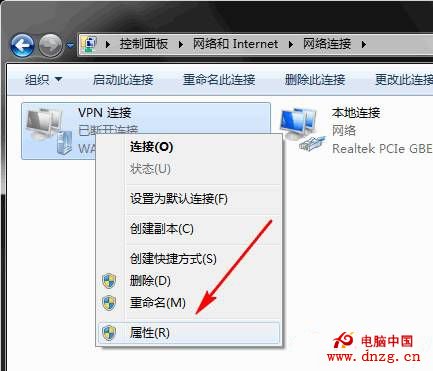
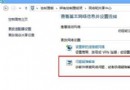
需調整 VPN 連線屬性(如驗證協定、IPv4 設定、分流規則),可透過工作列網路圖示快速存取。
即可進入 VPN 連線屬性分頁:一般、選項、安全性、網路、共用,進行進階參數調整。
Windows 8 打造專屬個人 Style:動態磚開始畫面、個人化鎖屏資訊、獨特圖片密碼,像鳥叔一樣與眾不同
Windows 8 雙介面 IE10 瀏覽器深度解析:桌面版傳承經典、Modern 版沉浸觸控、共享安全隱私基因
解決安裝 Win8 後無法上網:修改網卡屬性或重裝官方驅動
Mac 系統為 MP4 影片加入軟字幕教學:使用 iSubtitle 快速內嵌 SRT/ASS 字幕
Windows 8.1 IE10 瀏覽器移除超連結底線設定教學
Windows 10 原生支援 MKV 影片播放:Windows Media Player 直接開啟無需解碼器
中行網銀安全控件衝突導致 Win8 筆記本鍵盤失靈,附解決腳本
Win10 9879 安裝卡在 18%?斷網大法立竿見影:拔網線或停用網卡繼續安裝