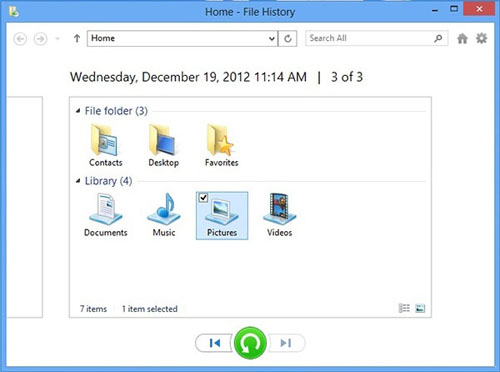
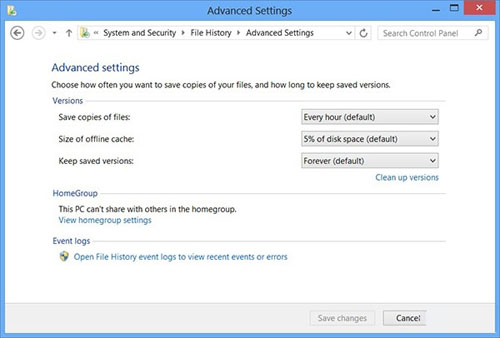
Windows 8 新功能 File History(檔案歷程記錄)自動備份資料庫(文件庫、桌面、我的最愛、連絡人)至外接裝置、Storage Space、BitLocker 磁碟或自訂資料夾,支援多版本保留。啟用極簡單:Win+W 搜尋「File History」→ 開啟介面點選「開啟」即刻運作。
微軟強調此功能讓使用者不再擔心資料遺失,自動背景備份、多版本還原,無需第三方備份軟體。
Windows Store 應用上傳完整流程:預約名稱、定價分級、認證測試、說明截圖、進度保存、審核簽署
Windows 8 刪除舊版應用與清理快取:取得 WindowsApps 資料夾權限、移除殘留版本、釋放系統盤空間
Win8 筆記本螢幕閃爍抖動?八大原因與解決方案總整理
Windows 8 建立圖片密碼與 PIN 碼(重複內容精簡版)
Windows 8 Hyper-V 核心操作與應用實戰完全指南
解決 Win8.1「安全啟動未正確配置」:群組原則啟用增強啟動配置驗證
Windows 8 獻給女生的實用現代應用:美團團購、Woman Calendar、百度雲相冊、網易沖印、天氣通
Win8 設定託管網路(虛擬 Wi-Fi 熱點)完整指令教學