Windows XP Windows 7 Windows 2003 Windows Vista Windows 綜合教學 Linux 系統教學
Windows 10 Windows 8 Windows 2008 Windows NT Windows Server 電腦軟體教學

Windows 8 強制開始畫面 IE10 磚塊以桌面版開啟:Internet 選項、群組原則、註冊表三種部署法

編輯:Win8 系統應用技巧

Win8 Modern IE10 不習慣?三種方式強制磚塊啟動桌面版 IE10,企業部署皆宜

Windows 8 開始畫面 IE10 磚塊預設啟動 Modern 版,習慣桌面版或需載入附加元件的用戶可強制改為桌面版。
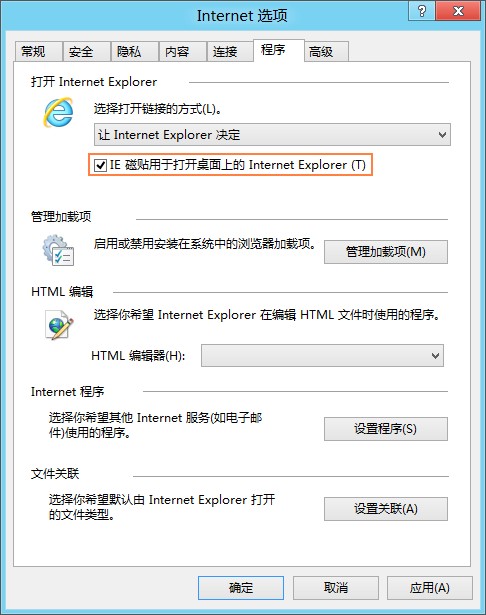
方法一:Internet 選項圖形介面(單機)

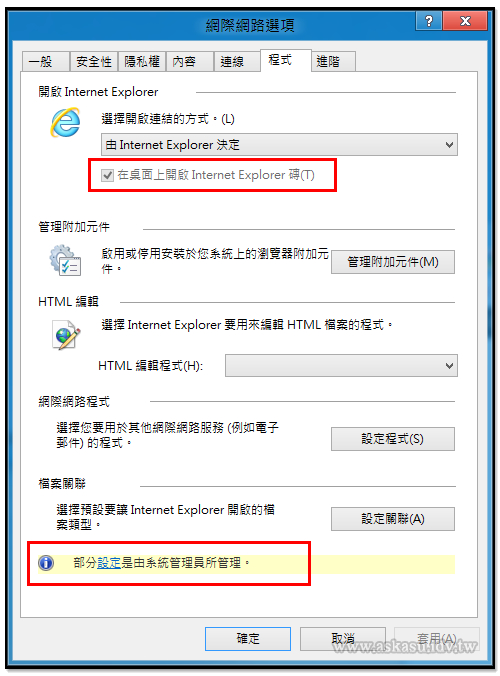
  1. 開啟桌面版 IE10 → Alt →「工具」→「網際網路選項」
  2. 「程式」索引標籤 → 勾選「IE 磚塊用於在桌面上開啟 Internet Explorer」

方法二:本機群組原則(企業/專業版)

  1. Win+R gpedit.msc
  2. 電腦設定 → 系統管理範本 → Windows 元件 → Internet Explorer → 網際網路設定
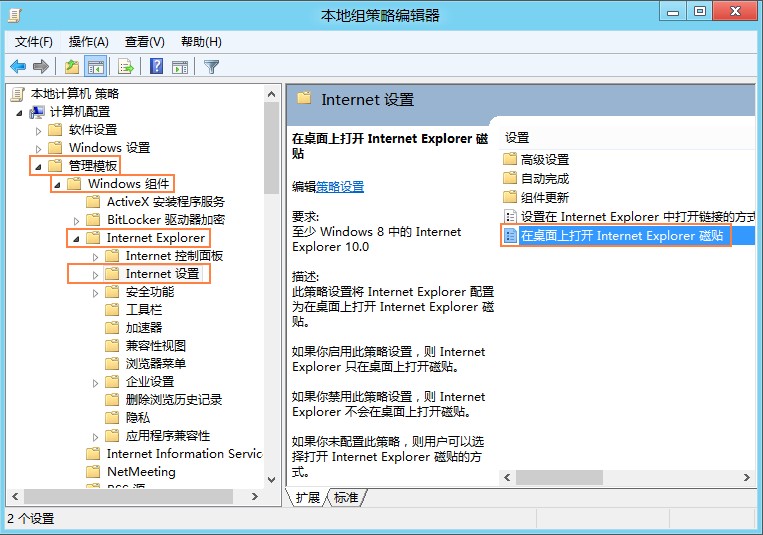
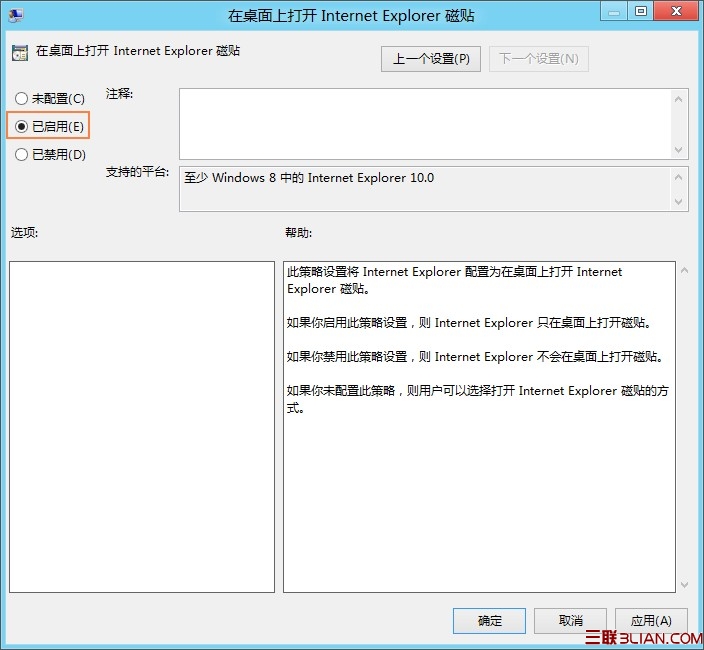
  3. 啟用「在桌面上開啟 Internet Explorer 磚塊」
  4. 此為**電腦設定**,影響所有使用者

方法三:註冊表部署(大量非網域電腦)

  1. Win+R regedit
  2. 定位至:
    HKEY_LOCAL_MACHINE\Software\Policies\Microsoft\Internet Explorer\Main
    或
    HKEY_CURRENT_USER\Software\Policies\Microsoft\Internet Explorer\Main
  3. 建立/修改 ApplicationTileImmersiveActivation (DWORD) = 0(0=桌面版,1=Modern版)

補充

  • Windows Server 2012 預設即為桌面版 IE10,無需設定
  • 群組原則「使用者設定」下同路徑亦有相同項目,可針對特定用戶部署

三種部署方式涵蓋單機、網域、大量佈署需求,按環境選擇最適方案。

Copyright © Windows教程網 All Rights Reserved