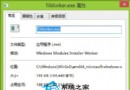
部分 Windows 8 使用者回報無法開啟 .exe 執行檔,彈出 wermgr.exe 應用程式錯誤,錯誤代碼 0x801d8ed0 指令參考的記憶體無法為 written。經排查,主因為「搜狗拼音輸入法」與系統相衝突。
wermgr.exe
0x801d8ed0
wermgr.exe 為 Windows 錯誤報告服務。搜狗拼音某版本在 Hook 系統 API 時與 DEP(資料執行防護)或記憶體保護機制衝突,導致啟動程式時觸發錯誤報告機制進而終止程式執行。
sfc /scannow
Windows 8 應用商店無法開啟?四大解決方案完整攻略
Windows 8 開始畫面固定任意檔案教學:匯入登錄檔啟用「固定到開始畫面」右鍵選單
Win8 顯示隱藏檔案資料夾三種方法(簡略版)
Win 8.1 螢幕解析度調整雙管道:桌面右鍵快速法、Metro 設定深度法
Win8 系統防毒軟體推薦:依電腦效能挑選最適合的一款
Win 8 將自訂資料夾加入程式庫「文件」集中管理
Win8 系統好不好用?六大優缺點深度評測:開機快、介面扁平、平板優先、傳統桌面割裂
Win8 內建管理員帳號無法開啟 Metro 應用?組態原則/登錄表雙解法