Windows 8 預設未安裝 Telnet,需透過「啟用或關閉 Windows 功能」手動加入。
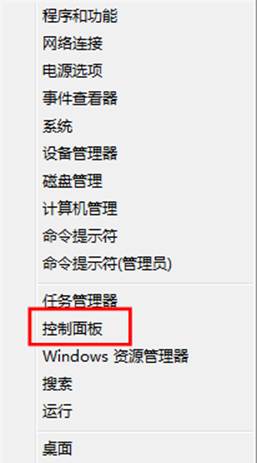
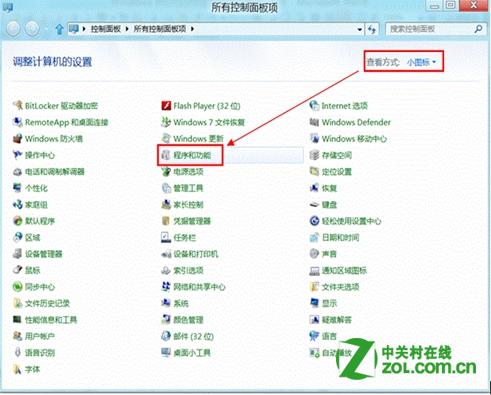
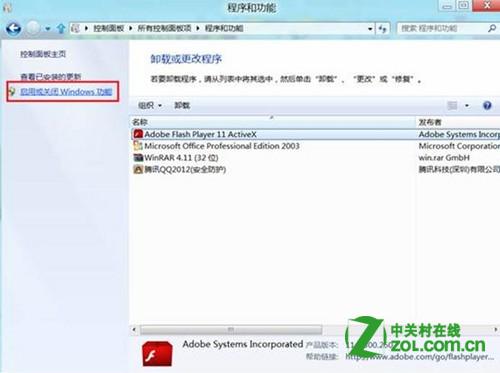
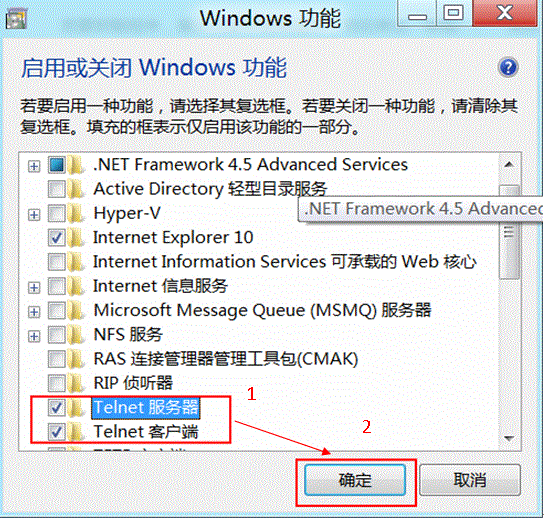
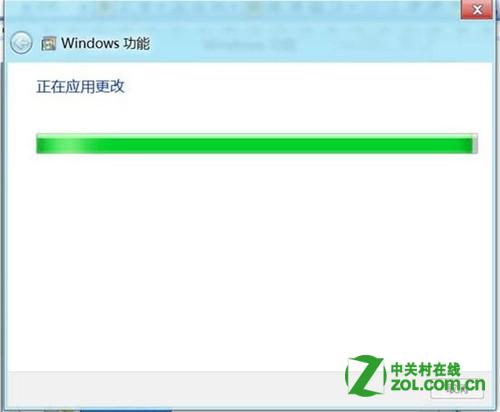
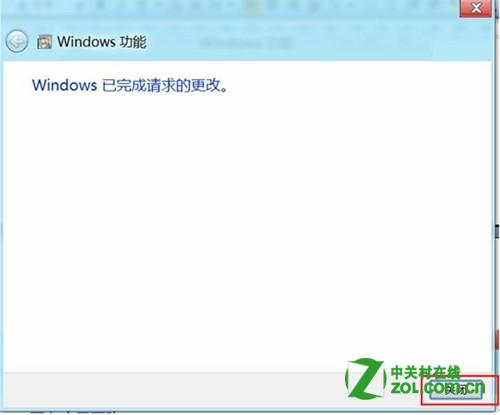
套用變更約需數十秒,完成後即可於命令提示字元使用 telnet 指令進行遠端連線測試。
Windows 8.1 取消「將圖示與網格對齊」自由擺放桌面圖示
Win8 登入畫面 DPI 縮放調整教學:解決高解析度螢幕字體過小問題
Windows 8 無法搜尋檔案內容?資料夾選項「始終搜尋檔名和內容」啟用即可
Win 8 變更預設輸入法:控制台→語言→進階設定→替代預設輸入法
Win8.1 設定睡眠喚醒需輸入密碼:兩種方法圖解(電腦設定 / 控制台電源選項)
Win8 用 CMD 指令查看/管理無線網路設定檔:netsh wlan show profiles 完整教學
Windows 8 啟用 .NET Framework 3.5 完整指南:線上安裝、控制台啟用、離線部署 (DISM) 三種方法