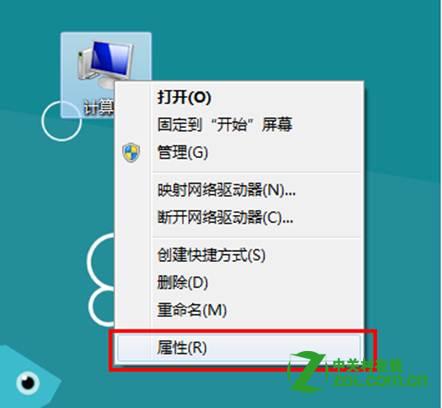
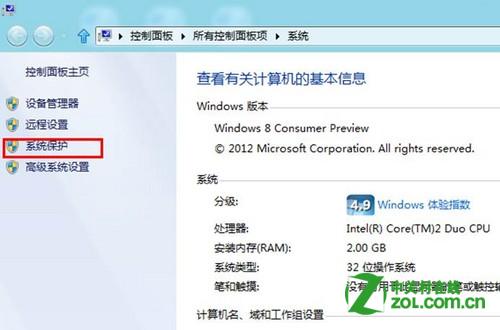
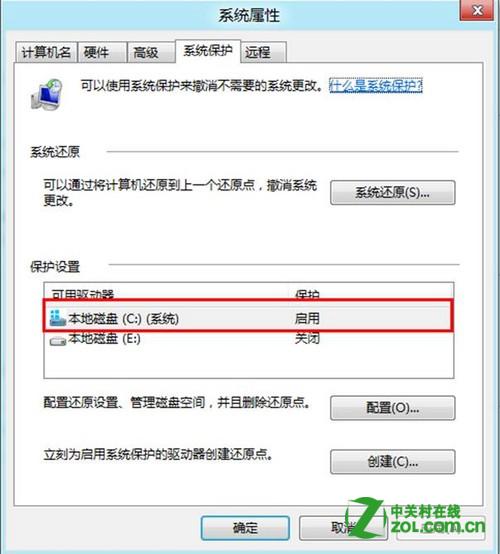
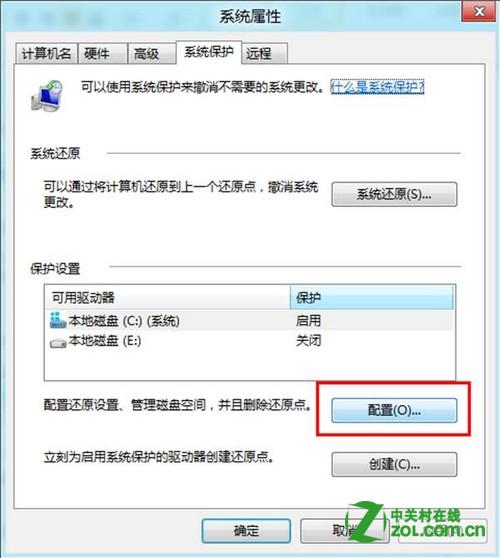
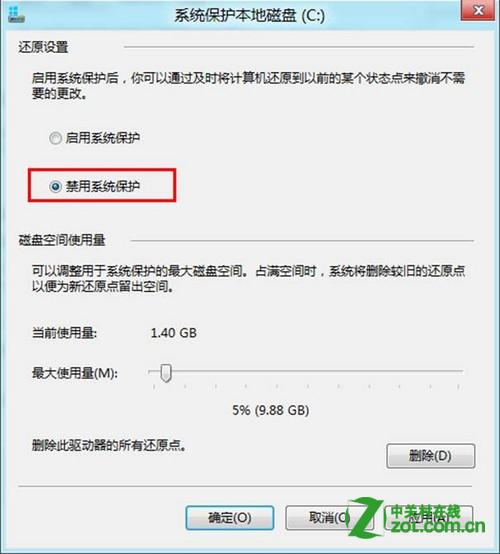
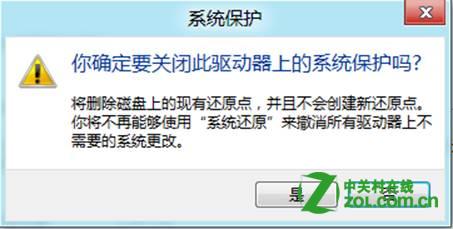
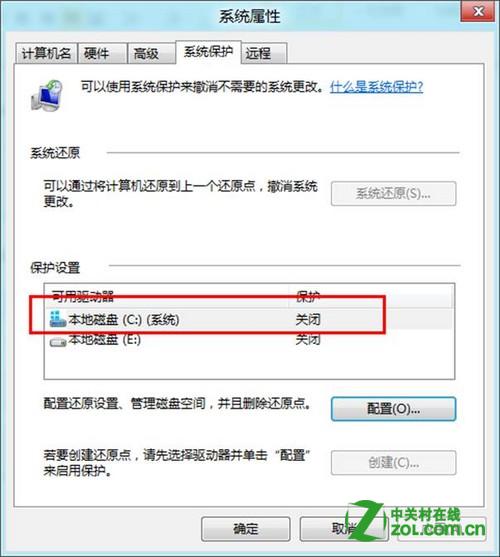
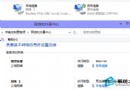
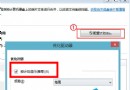
系統保護(系統還原)會佔用磁碟空間儲存還原點,若空間緊張或使用第三方備份軟體,可停用以釋放空間。
注意:停用後無法使用系統還原功能,請確認有其他備份機制(如檔案歷程記錄、第三方備份)再操作。
Windows 8.1 預覽版升級安裝完整教學 (雙管道:應用商店 / ISO)
Win8 開機提示找不到 liveupdate_up?卸載聯想自動更新程式即可解決
Windows 8.1 安裝 .NET Framework 3.5 報錯 0x800F0906?DISM 離線安裝法
找回 Win8.1 體驗指數 (WEI):ChrisPC 第三方工具呼叫底層 API 重現評分
Win8 刪除多餘本地使用者帳號教程:電腦管理「本地使用者和群組」移除帳號
Win 8 徹底關閉 UAC 警告的代價:Metro 應用將無法啟動
Win8 啟用內建 Administrator 管理員帳號登入
Windows 8 操作小技巧五則:鎖定畫面、Metro 主畫面、搜尋、工作切換