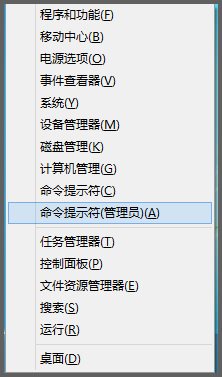
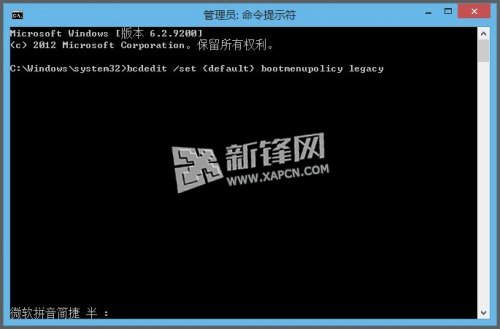
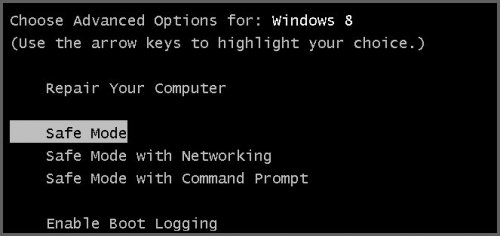
Windows 8 新安全開機機制移除開機按 F8 進入安全模式功能,可透過 bcdedit 指令恢復傳統開機選單。
bcdedit /set {default} bootmenupolicy legacy
以系統管理員身分執行:bcdedit /set {default} bootmenupolicy standard → 重開機即恢復現代開機流程 (不再顯示 F8 選單)。
bcdedit /set {default} bootmenupolicy standard
此設定修改開機原則為舊版相容模式,適合習慣 F8 進入安全模式的進階用戶。
Win8.1 IE11 停止運作/當機?兩大修復法:停用附加元件、關閉第三方瀏覽器擴充
Windows 8 設定圖片預設開啟程式:單一檔案屬性法與批次關聯法兩種方案
微軟官網個人化圖庫全新改版:向 Windows 8 風格靠攏,大縮圖、全景預覽、單張壁紙下載
Windows 8 快速尋找計算機程式的三種方法
Win8 裝置管理員在哪?三種快速開啟方式 (Win+X/電腦管理/控制台)
Win8.1 使用者必知的 15 個隱藏設定與解決方案
Windows 8 移除內建中文輸入法:語言設定五步驟
Windows 8.1 必做 15 項設定優化:從 SkyDrive 同步修復到開始畫面客製化