Windows 8 移除 Aero Glass 透明效果,僅保留固體色彩。若需恢復透明視覺,可使用第三方工具:
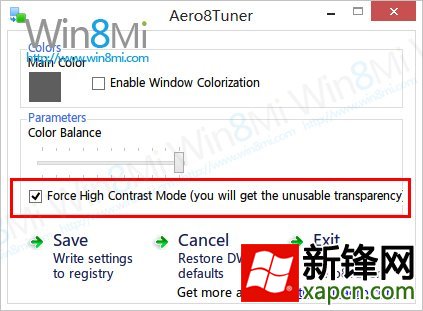
方案一:Aero8Tuner
- 勾選「Force high contrast mode (you will get the unusable transparency)」強制啟用透明。
- 可獨立調整工作列顏色不影響視窗標題列。
- 優點:功能豐富、可微調;缺點:需常駐執行。
方案二:bLend
- 將「Global Blending」透明度設為
254(255 為完全透明不可見)。
- 勾選「Start at system booting」開機自動啟動。
- 點擊「Apply/Resume」套用,「Hide」隱藏至背景執行。
- 優點:效果最完美、資源佔用極低;缺點:必須常駐背景程序。
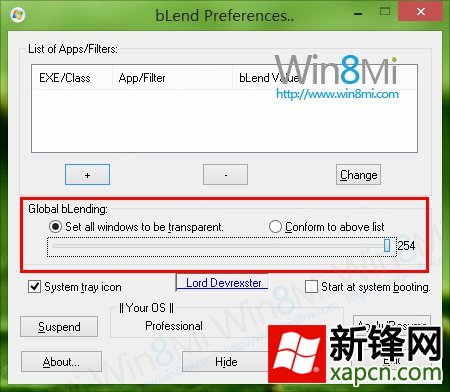
目前 bLend 為相對完美的 Win8 透明化方案,適合追求視覺效果的使用者。