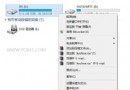
嫌捷徑左下角小箭頭礙眼?透過修改登錄表 Shell Icons 將預設箭頭圖示替換為透明圖示 (系統內建 imageres.dll 第 197 號圖示為空白),配合重建圖示快取即可移除。
reg add "HKEY_LOCAL_MACHINE\SOFTWARE\Microsoft\Windows\CurrentVersion\Explorer\Shell Icons" /v 29 /d "%systemroot%\system32\imageres.dll,197" /t reg_sz /f
taskkill /f /im explorer.exe
attrib -s -r -h "%userprofile%\AppData\Local\iconcache.db"
del "%userprofile%\AppData\Local\iconcache.db" /f /q
start explorer
reg delete "HKEY_LOCAL_MACHINE\SOFTWARE\Microsoft\Windows\CurrentVersion\Explorer\Shell Icons" /v 29 /f
taskkill /f /im explorer.exe
attrib -s -r -h "%userprofile%\AppData\Local\iconcache.db"
del "%userprofile%\AppData\Local\iconcache.db" /f /q
start explorer
Shell Icons 29 號值對應捷徑覆疊圖示 (小箭頭)。imageres.dll,197 (空白圖示) 即隱形化。taskkill /f /im explorer.exe 重啟檔案總管 + 刪除 iconcache.db 強制重建圖示快取,即時生效。無需第三方工具,純指令碼完成,隨時可恢復。