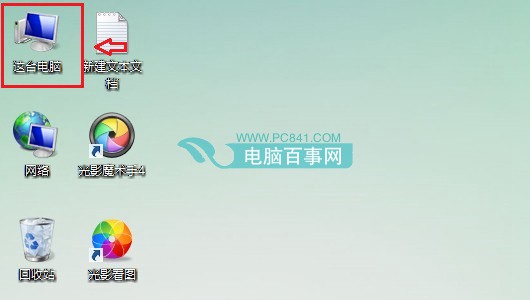
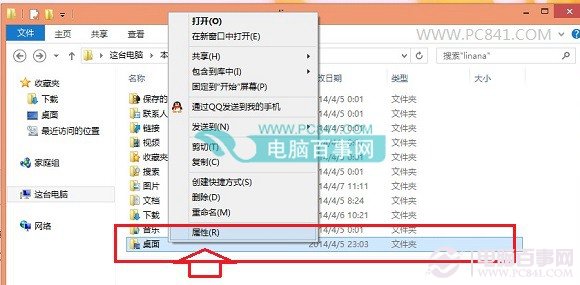
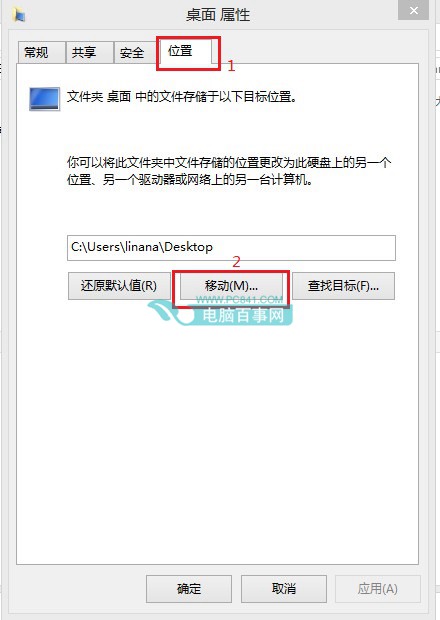
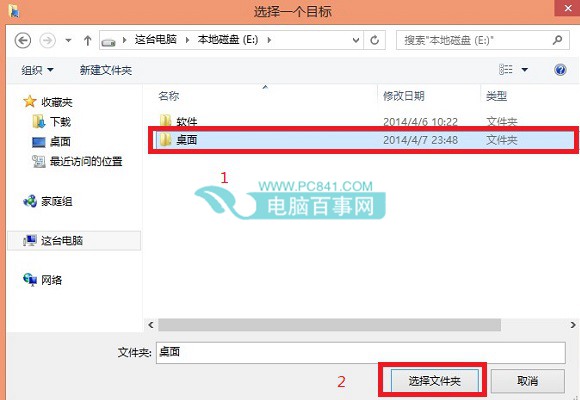
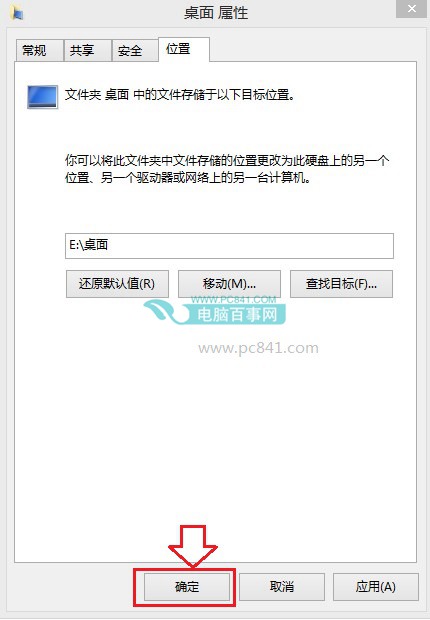
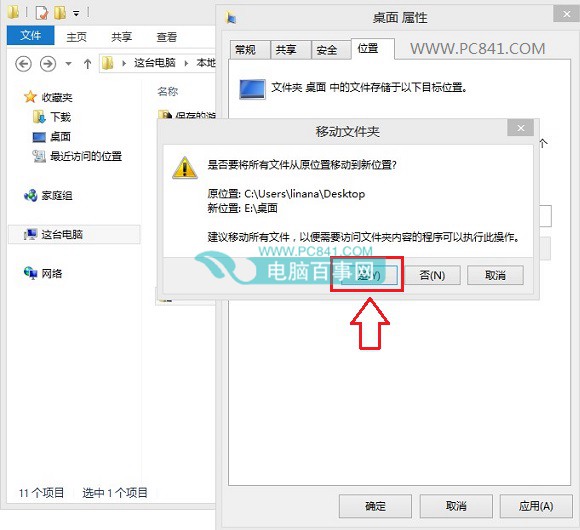
完成後桌面新增檔案將直接寫入新位置,保護系統碟空間。
解決 Win8 系統應用程式下載錯誤的方法
Windows 8 清理過多 Modern 應用釋放系統盤空間:查看佔用大小與解除安裝教學
Windows 8 關閉/開啟自動播放功能:控制台設定路徑與操作步驟
Win8 寬頻連線錯誤 678 遠端無回應:六步驟從 Modem 到客服完整排查
Win8 取消程式錯誤「連線檢查解決方案」提示:修改登錄檔將管理工具啟動器改為 MMC
Windows 8 使用“Win8 优化大师”自定义磁贴外观与布局
Windows 8 桌面直接啟動 Metro App:建立捷徑法
Win8 平板限制只识别自家 U 盘/SD 卡:获取硬件 ID + 组策略“仅允许安装匹配设备 ID”的设备